How do the Time blocks in Settings work in Jimani?
- Answer
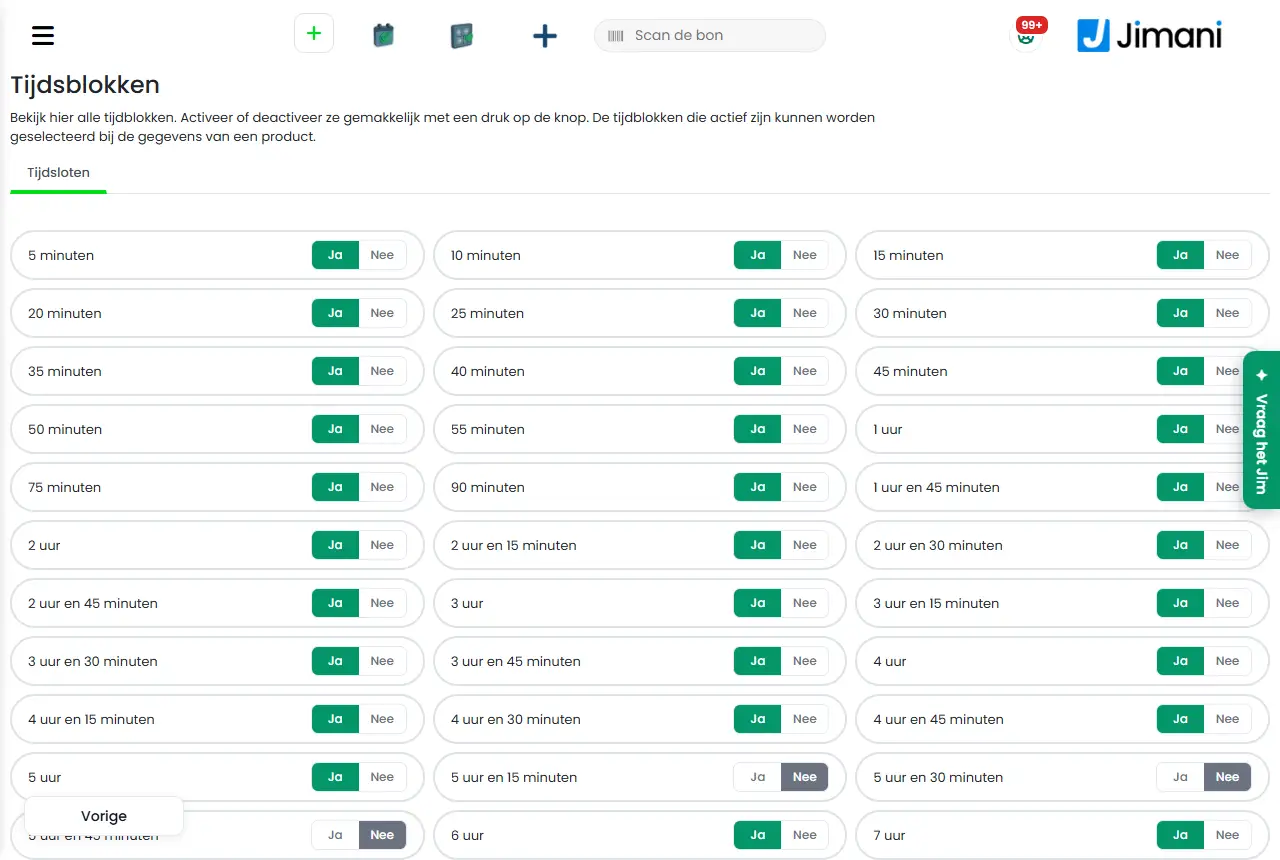
Under Time blocks you determine which durations (5 minutes, 1 hour, 2 days and so on) you can offer with a product with Price per time. Each duration has a Yes or No button that saves immediately. You can only choose durations set to Yes in the details of a product.
- Where to find it
Settings > Guests and bookings > Time blocks (
/ActivitiesSettings/TimeSettings), or in the window of a product with the plus button under the time blocks- Explanation
The page is called Time blocks and shows, under the Time slots tab, all durations with a Yes/No button. The screen says: "View all time blocks here. Easily activate or deactivate them at the press of a button. The time blocks that are active can be selected in the details of a product." If you open the list from a product, the window is called Manage the time settings; there too every choice is saved immediately and there is no Save or Previous button. The durations run from 5 minutes to 1 year. How you fill in the prices per duration is in How do I set the price per duration with time blocks?.
- Buttons and settings
Name What it does When to use it Please note Time slots The tab with all durations. Always. - Yes Turns the duration on: you can choose it for a product. For the durations that you sell, such as 60 minutes or 1 day. Saves immediately. No Turns the duration off: it is no longer in the choice for a product. For durations that you do not offer. Removes the duration from the choice for a product. Manage the time settings The window in which you turn durations on or off from a product. If the duration you want is not in the product's list. There is no Save button; close the window with the cross. - Related
How do I set the price per duration with time blocks?, How do the Products of Activities management work in Jimani?
- Which durations can I offer with a product with price per time?
- Where do I turn 1 hour or 2 hours on or off?
- Why can't I choose a certain duration for a product?
- How do I turn on a duration such as 2 days?
Keywords: time blocks, durations, set durations, product times, time slots, 5 minutes to 1 year
Last checked: 2026-10-16
Translated from the Dutch knowledge base; the Dutch version is leading.