How does the Jimani webshop for POS and equipment work?
- Answer
The Jimani webshop is the shop in your dashboard where you order POS screens, printers, cash drawers, kitchen screens, card terminals and other equipment. You choose items, put them in the cart and check out. Prices are excluding VAT.
- Where to find it
Settings > Add-ons, under the category Devices and POS the link Buy equipment in the Jimani webshop (
/Winkel). You also get there via the tile View our hardware under Connected devices, or with "Jimani webshop" under Search for a setting….- Explanation
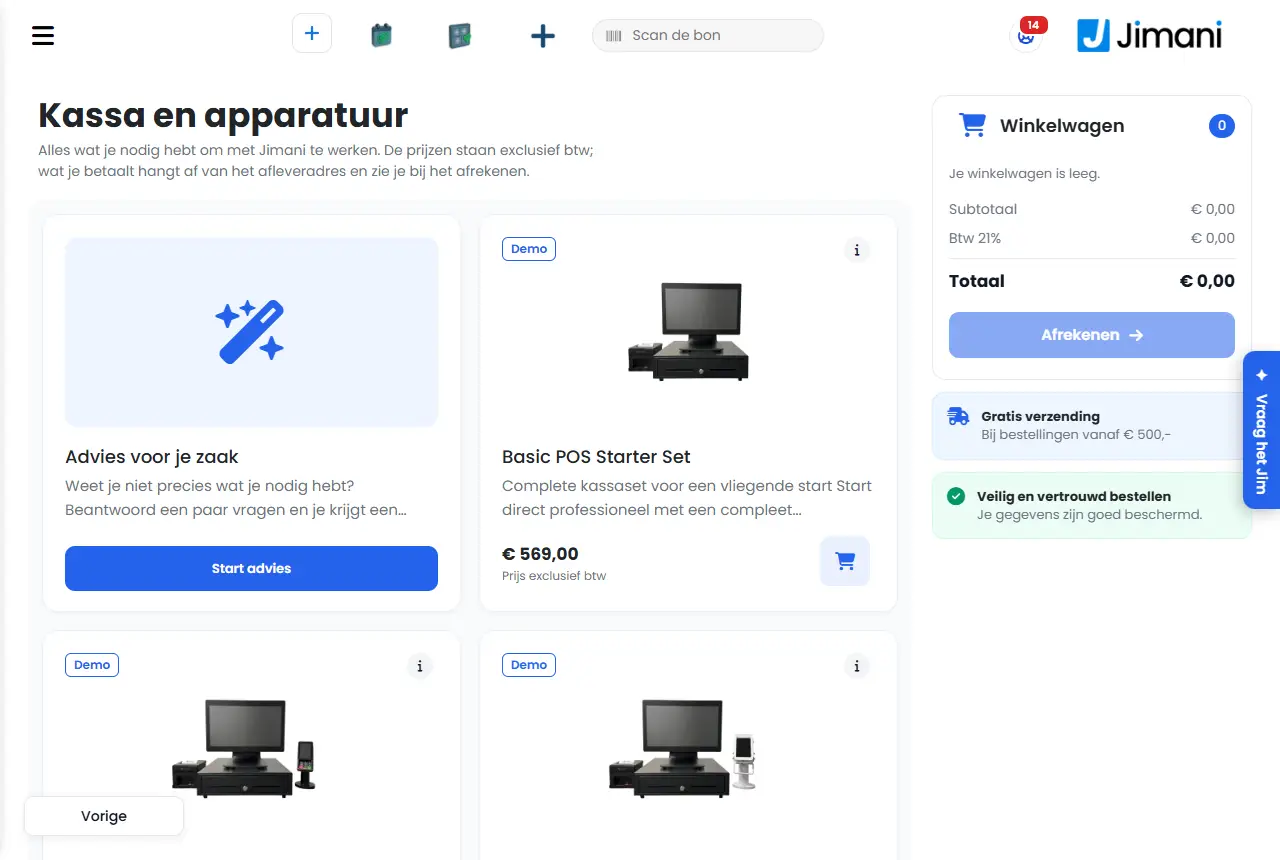
The page is called Tills and equipment with the text Everything you need to work with Jimani. Prices are excluding VAT; what you pay depends on the delivery address and you see it at checkout. Step by step it is in How do I order a POS, printer or card terminal from Jimani?.
- Buttons and settings
Name What it does When to use it Note Item tile Photo, name, short description and price with Price excluding VAT. To choose. The short description is the first sentence of the description. New The item was added in the last 30 days. To see new equipment. Does not appear if everything is equally old. Demo Try this device with your own products. To try a device. Only for devices with a demo. More about this product (i) Opens a window with description, manual and specifications. For details. - In stock or On order Whether the item is available or has to be ordered. To estimate the delivery time. - Add Puts one item in the cart (cart icon). Quick ordering. - Quantity The quantity, with minus and plus. In the item window. At least 1. Add to cart Puts the chosen quantity in the cart. After choosing. - Cart On the right, with Subtotal, VAT and Total. To check. The VAT follows the business's country. If the cart is empty, it says Your cart is empty. Checkout Goes to checkout. When the cart is ready. Disabled as long as the cart is empty. Start advice Opens the advice conversation ( /Advies).If you do not know what you need. Only visible with the permission for the advice. It is under Advice for your business. Existing customer, New customer Only for Jimani employees under Order as admin. - Not for customers. - Messages
Message What it means What to do There's nothing in the cart. You tried to order with an empty cart (when ordering on Jimani's website). Put items in the cart first. There is nothing left in the cart that can be ordered. The items in the cart can no longer be ordered. Choose other items. - Related
How do I order a POS, printer or card terminal from Jimani?, How does the Connected devices screen work in Jimani?
- Where do I order cash drawers and kitchen screens?
- Are the prices in the Jimani webshop including VAT?
- Where do I find the Jimani webshop in my dashboard?
- How do I find Jimani's hardware shop?
Keywords: jimani webshop, order hardware, buy POS, cart, equipment, advice
Last checked: 2026-10-16
Translated from the Dutch knowledge base; the Dutch version is leading.