What do you enter under Company details?
- Answer
Under Company details you enter the name, logo, type of business, address and contact details of your business. These details appear on your invoices, order and reservation confirmations and in the widget. You can find it under Settings > Your business > Business details and opening hours.
- Where to find it
Settings > Your business > Business details and opening hours (Company details window,
/Settings/CompanyInfo)- Explanation
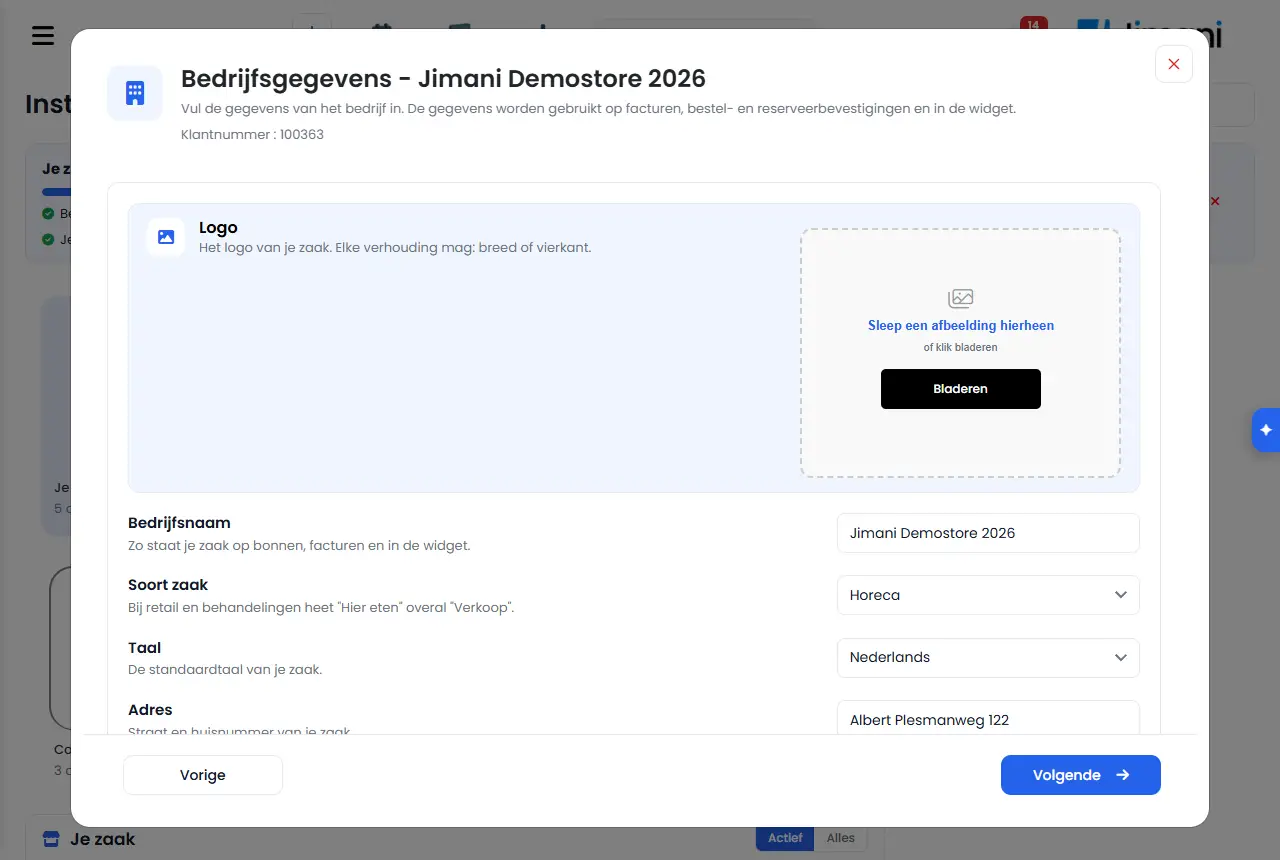
The Company details window has two steps. The first step contains the logo, name, type of business, language, address and phone number. Use the arrow to go to the second step with the VAT number, website, Chamber of Commerce number and the email addresses. Click Save. As long as something is still missing, Not complete yet appears next to the line on Settings.
- Buttons and settings
Name What it does When you use it Note Enter the company details. The details are used on invoices, order and reservation confirmations and in the widget. The explanation at the top of the window. - - Customer number Your customer number at Jimani, at the top of the window. When you call or email Jimani. - Logo The logo of your business. Any proportions are fine: wide or square. At the start. It appears on the receipt and in your webshop. Use the cross to remove it. Company name This is how your business appears on receipts, invoices and in the widget. At the start. Required. Type of business Hospitality, Retail or Treatments. At the start or when your business changes. For retail and treatments, "Eat here" is called "Sales" everywhere. This applies immediately after saving. Language The default language of your business. At the start. Required. Address, Addition Street and house number, and optionally a floor or unit. At the start. Address is required, Addition can be left empty. Postal code, City, Province, Country Where your business is located. At the start. Postal code, City and Country are required; Province is not. Phone Where customers and Jimani can reach you. At the start. Required, with country code. VAT number Shown on your invoices. If you are VAT-registered. - Website The address of your own website. If you have a website. - Chamber of Commerce number Your registration number at the Chamber of Commerce (Kamer van Koophandel). For a Dutch business. Outside the Netherlands this field is called Commercial register number: your registration number in the commercial register of your country. Email The general email address of your business. At the start. Required. Invoicing e-mail Invoices from Jimani are sent here. If the invoices must go to a different address, for example your bookkeeper. - - Messages
Message What it means What you do Company name is required The name is missing. Enter the name. Address is required / Zipcode is required / City is required / Country is required An address field is missing. Fill in the field. Phone is required / Email is required / Language is required A required contact field is missing. Fill in the field. Images only (png, jpg, gif, webp). The file for the logo is not an image. Choose a png, jpg, gif or webp. - Related
How is the Settings page organised?, How do you set VAT rates?
- Where do I enter the address and VAT number of my business?
- How do I change my company name or logo?
- Why does it say Not complete yet next to Company details?
- Which details appear on my invoice and confirmations?
Keywords: company details, change company name, upload logo, chamber of commerce number, VAT number, Jimani invoice address, type of business
Last checked: 2026-10-16
Translated from the Dutch knowledge base; the Dutch version is leading.