What do you see on the Orders screen?
- Answer
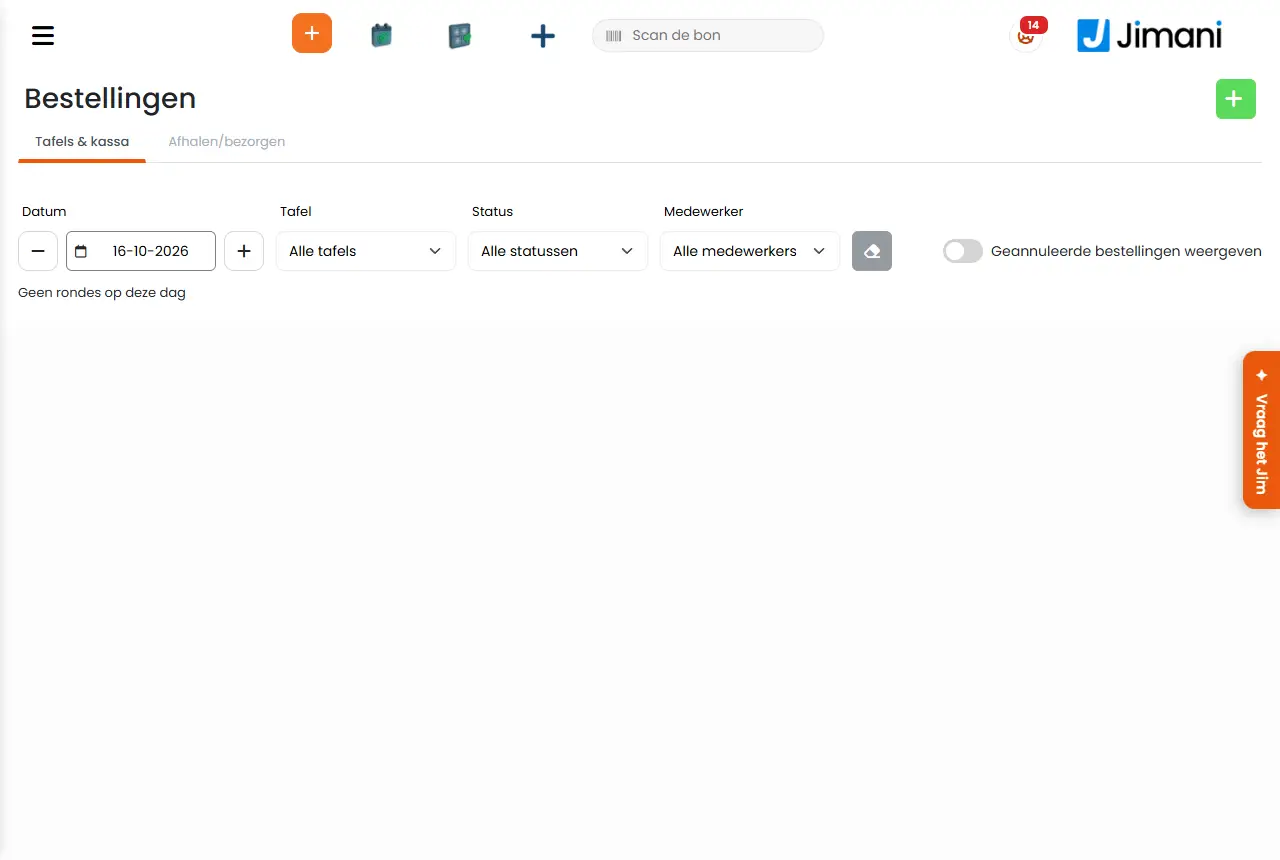
On Orders you see what was ordered on a given day. With the Restaurant integration, the rounds of the tables and the separate POS sales are under Tables & POS, with filters for date, table, status and employee; with the online webshop, the webshop orders are under Pickup/delivery. Tapping a line shows the order.
- Where to find it
Menu Order (
/webshoporder); in the POS, Order in the bar at the top (/webshoporder?layout=pos)- Explanation
- Tables & POS. Choose the Date with minus and plus. Filter by Table (All tables), Status (All statuses, Open, Paid, Transferred) and Employee (All employees); with the eraser (Clear filter) you start over. Per round you see the Time, the Table (or No table, or Passer-by), the Name, the Employee, the Products, the Amount, the Status and the state in the Kitchen (In progress, Done or No kitchen). If there are no rounds, you see "No rounds match the filters" (or "No rounds on this day").
- Pickup/delivery. Filter by From and To, Order number, Product, Price from and Price to, Ordering method (Delivery or Pickup) and the status (Order pending, Done, Delivered, Picked up, Cancelled).
- Without Restaurant there is a single list with the orders of that day.
- Buttons and settings
Name What it does When to use it Note Date The day of the list, with minus and plus one day back or forward. Always. - Table, Status, Employee Filters on the list. To find a round. - Transferred Rounds that were transferred to another table ("Transferred to table ..."). To see where lines went. - View completed orders Also shows orders that are already done. For pickup and delivery. Not in the free POS. Show cancelled orders Also shows cancelled and empty receipts. When looking up a receipt. Off by default: these receipts mainly arise from transferring. Clear filter Resets all filters. - - - Related
How do I look up an earlier receipt and print it again?, How do I work with tables on the till?
Related questions
- Where do I see all of today's orders?
- How do I filter orders by table or employee?
- Where do I find webshop orders for pickup or delivery?
- How do I look up an order from an earlier day?
Keywords: orders overview, rounds per table, today's orders, cancelled receipts, transferred rounds, POS sales
Last checked: 2026-10-16
Translated from the Dutch knowledge base; the Dutch version is leading.