What is in the Foreign VAT report (OSS)?
- Answer
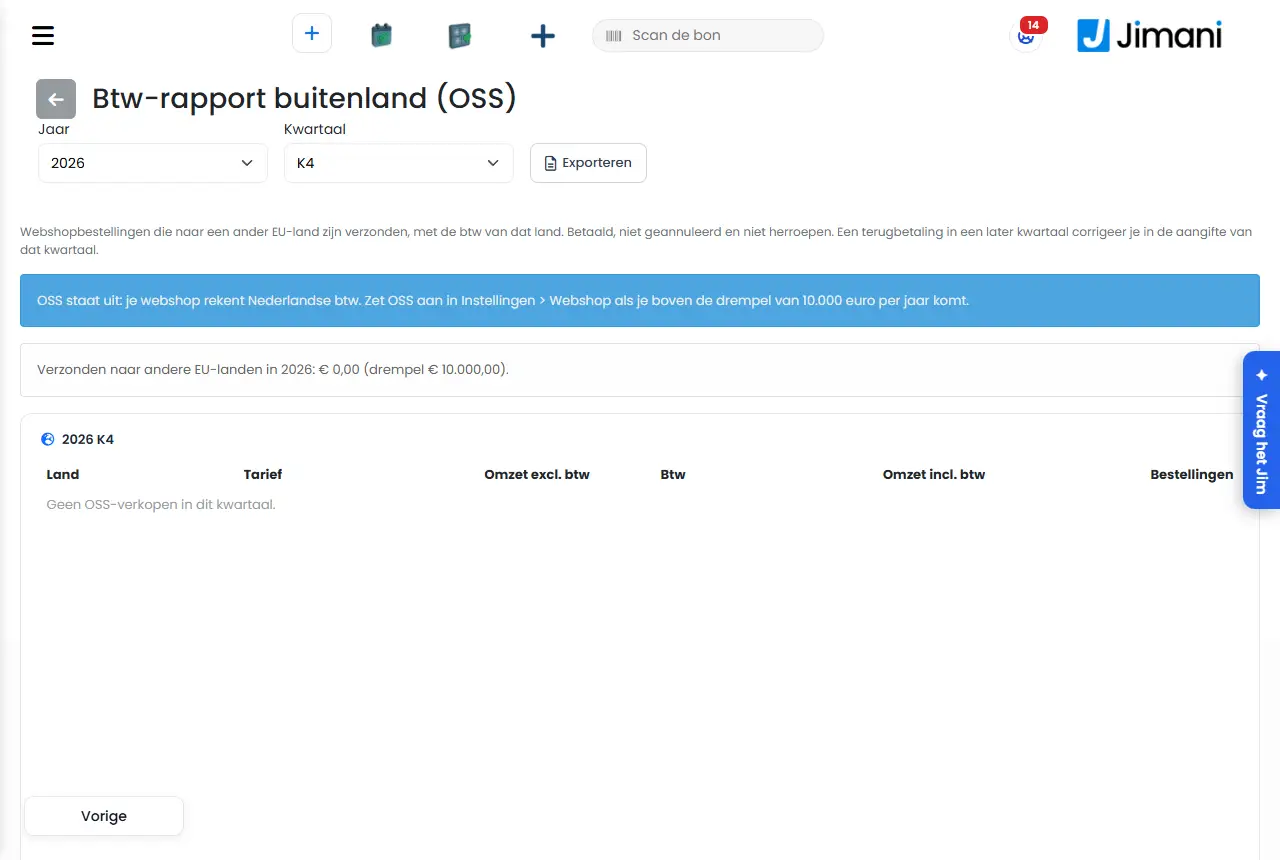
The Foreign VAT report (OSS) shows per quarter your webshop sales to other EU countries, per country and VAT rate, for your OSS return. You export it as a CSV file.
- Where to find it
Settings > Money and figures > Reports, in the POS Financial overview the button Foreign VAT report (OSS) (
/Settings/OssFinancialReport)- Explanation
"Webshop orders that were shipped to another EU country, with the VAT of that country. Paid, not cancelled and not withdrawn. A refund in a later quarter is corrected in the return of that quarter." Above the table you see how much you have shipped to other EU countries this year, next to the threshold of €10,000; if you go above it, that line turns into a warning. How OSS works and how to turn it on is in How does OSS VAT work in my Jimani webshop?. With the arrow at the top left you go back to the Financial overview.
- Buttons and settings
Name What it does When you use it Note Year Chooses the year. For your return. The report reloads immediately. Quarter Chooses the quarter (Q1 up to and including Q4). For your quarterly return. The report reloads immediately. Export Downloads the quarter as a CSV file. To copy the figures into the return. The file name contains the year and quarter. Country / Rate The buyer's country and the VAT rate of that country. - One line per country and rate. Revenue excl. VAT / VAT / Revenue incl. VAT The amounts per country and rate. For the return. - Orders The number of orders per line. - - Total The sum of all lines. - - - Messages
Message What it means What you do OSS is off: your webshop charges Dutch VAT. Turn on OSS in Settings > Webshop if you exceed the threshold of 10,000 euros per year. OSS is not on; you charge Dutch VAT. Turn OSS on under Settings > Guests and bookings > Delivery and pickup > Webshop settings (or type "Webshop settings" in Search for a setting…); the message still mentions the old location Settings > Webshop, if you exceed the threshold. No OSS sales this quarter. There are no OSS sales in this quarter. Choose another quarter. - Related
How does OSS VAT work in my Jimani webshop?, How does the Webshop settings window work?, What is in the Own consumption overview?
- How do I retrieve my OSS report per quarter?
- Where do I see how much I have sold to other EU countries?
- What is the threshold of 10,000 euros for OSS?
- Can I export the OSS report as CSV?
Keywords: oss report, foreign vat, oss return, eu vat quarter, vat per country webshop
Last checked: 2026-10-16
Translated from the Dutch knowledge base; the Dutch version is leading.