How do Hours overview, My hours and Revenue per employee work?
- Answer
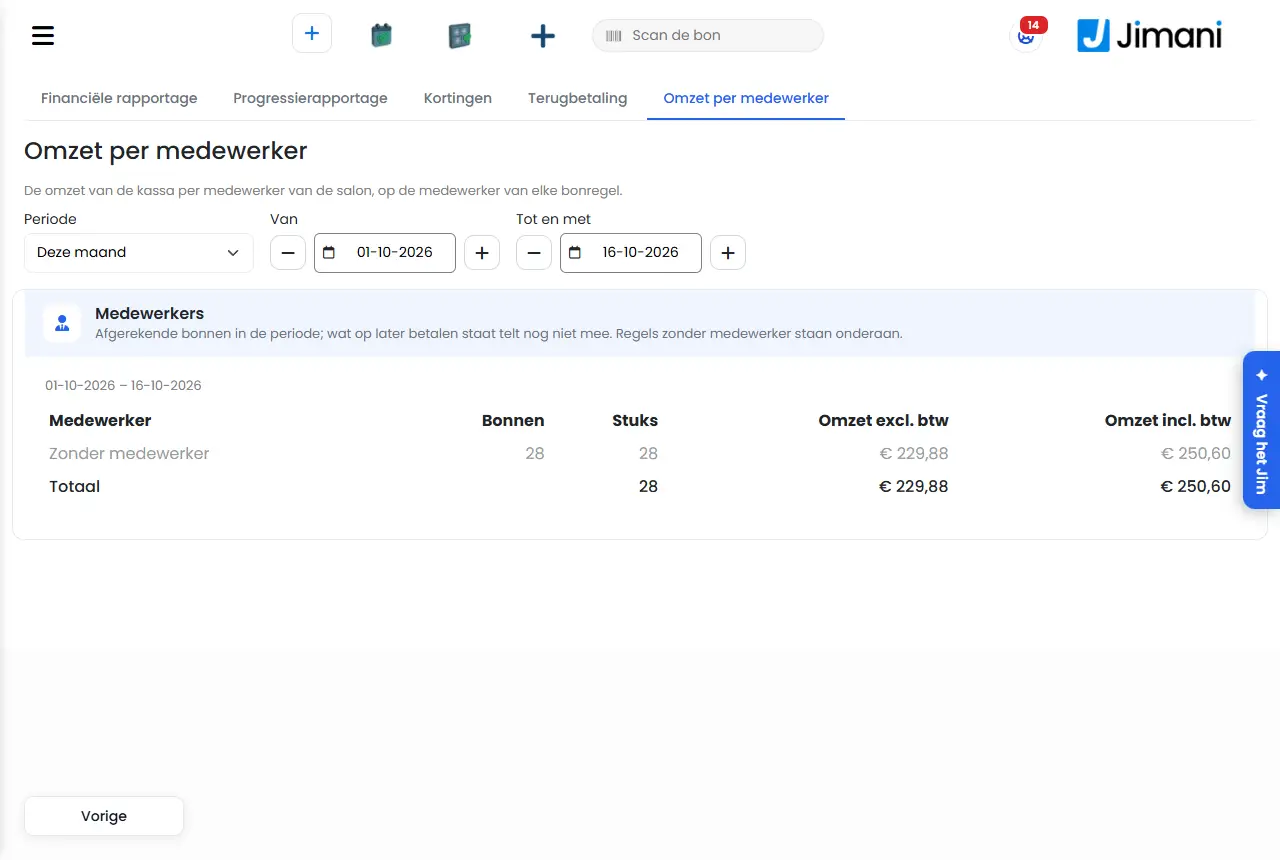
Hours overview shows the clocked hours per week and per employee, My hours shows an employee only their own hours, and Revenue per employee shows the POS revenue per employee of the salon. The first two work with the Time tracking add-on, the third with the Salon add-on.
- Where to find it
Settings > Your business > Your team > Time tracking, which opens the Hours overview (
/Urenoverzicht); My hours (/MijnUren); Settings > Money and figures > Reports, Revenue per employee tab (/Medewerkeromzet)- Explanation
The Hours overview opens on the last four weeks. Choose a different period with From and To (with the minus and plus buttons you move a day) and click Search. My hours shows the last eight weeks, and if contract hours have been filled in also Your contract is set at ... hours per week. Revenue per employee counts the paid receipts in the chosen period, on the employee of each receipt line.
- Buttons and settings
Name What it does When to use it Please note From, To The period of the Hours overview. To view a different period. To counts the whole day. Search Loads the hours of the chosen period. After choosing From and To. - File for the payroll provider Downloads a CSV with a line per employee per day: staff number, name, date, break and the hours per type. Every pay period. Whoever may only see their own hours also gets only their own hours in the file. Per week The table with Employee, Week, Worked, Break, Evening, Night, Saturday, Sunday, Public holiday, Extra hours and Overtime, with the Total at the bottom. To see who has worked how much. Hours are shown as hours:minutes, 7:30 is seven and a half hours. Lock Locks a week: the hours have been processed and no longer change. After that it says locked. When the week has gone to the payroll provider. Only whoever manages staff (owner or manager). Revenue per hour worked Per week the hours worked, the Revenue and the amount Per hour. To see your staff costs next to your revenue. Only if there are closing receipts from the POS. The shifts Every shift with Employee, Date, From, To, Break, Worked and Where (POS or handheld). To check a shift. - corrected This shift was adjusted by hand. - - automatic Nobody clocked out; the night closing closed the shift. Check this shift before it goes onto a payslip. - Please note A warning from the rules for young people in the Dutch Working Time Act. - Jimani warns, but does not stop anything. What you've clocked from ... to On My hours: the period that you see. - My hours shows only your own hours, without colleagues. Does something not look right? Report it to your manager; they can correct it. A correction is added as a new line next to the old one, so that what it said before can always be checked. The explanation on My hours. - - Period On Revenue per employee: Today, This week, This month, Last month or Custom. To see the revenue over a period. With Custom you fill in From and Up to and including. Employees The table with per employee Receipts, Items, Revenue incl. VAT and Revenue excl. VAT, with the Total. - Lines without an employee are at the bottom as No employee; what is on pay later does not count yet. - Messages
Message What does it mean What do you do No clocking took place in this period. There are no shifts in the chosen period. Choose a different period. Time tracking is turned off. Turn it on under the paid options to track hours. The Time tracking add-on is off. Turn it on under Settings > Add-ons. The Time tracking option is turned off. You asked for hours or a file while the add-on is off. Turn on Time tracking. Only someone who manages staff may lock a period. Your role may not lock a week. Have the owner or a manager do it. That's not a week. The week number is not right. Refresh the page and try again. Only someone who manages staff is allowed to do this. An action for the payroll provider that only the owner or manager may do. Ask the owner. Only someone who manages staff may correct hours. Only the owner or manager can correct a shift. Ask the owner. Only someone who manages staff may clean up hours. Only the owner or manager can clean up old hours. Ask the owner. No revenue in this period. On Revenue per employee there are no paid receipts in the period. Choose a different period. - Related
How do employees track their hours in Jimani?, How do I see the revenue per employee?, What is on Users and User rights?
- Where do I see the hours my staff have worked per week?
- How do employees see their own hours?
- How do I check the hours of a different period?
- How many contract hours does an employee have per week?
Keywords: hours overview, my hours, hours worked, hours per week, revenue per employee, salon revenue employee, payroll provider file
Last checked: 2026-10-16
Translated from the Dutch knowledge base; the Dutch version is leading.