


Using QR codes for rentals and activities
During activities and rental processes it often needs to be clear which reservation belongs to which customer. For example when picking up rented materials, starting an activity, or returning a product. When this is checked manually, it can cause delays and errors.
Within the Jimani system, QR codes can automatically be linked to reservations and rental agreements. This allows employees to easily open the correct booking by scanning a QR code.
QR codes automatically linked to reservations
When an activity is booked or a rental is created, the system can automatically generate a unique QR code. This code is directly linked to the corresponding reservation.
- Unique QR code linked to each reservation
- Direct access to the correct booking in the system
- Less manual administration
- Faster pickup or return of materials
This allows employees to quickly and easily open the correct reservation without searching in the system.
Faster issuance of rented products
For rental processes such as bike rentals, equipment rentals, or activities with gear, QR codes can significantly speed up the issuance process.
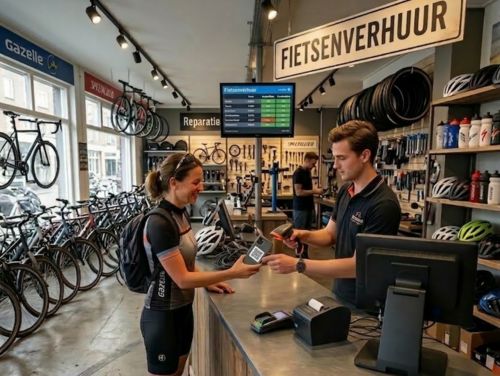
When a customer arrives, the employee only needs to scan the QR code to open the correct rental agreement.
- Rental agreement opened directly via QR scan
- Faster distribution of materials or products
- Reduced chance of errors during manual checks
- Clear registration of issued items
This makes the distribution process more efficient and allows customers to be helped faster.
Use multiple scanning points within your location
Within the Jimani system, you can use multiple QR scanning points. This is useful when activities or rentals take place at different locations.
- Scan QR codes at different locations
- Scanning points at pickup, entrance, or return locations
- All scans linked to the same system
- Real-time registration of activities and rentals
This keeps the process clear, even when multiple employees are working at different locations.
Customers about Jimani
Smooth Restaurant Management
At Jongleert Restaurant, part of the Scalda school group, we are very pleased to use Jimani. This system enables us to m[..] Read more
Smooth Restaurant Management
At Jongleert Restaurant, part of the Scalda school group, we are very pleased to use Jimani. This system enables us to manage reservations for our student-run restaurants quickly and easily. Thanks to Jimani, the reservation process runs smoothly and efficiently.

Incredibly Useful Program
Jimani is an incredibly useful program because it can combine both activity and table reservations into one. They collab[..] Read more
Incredibly Useful Program
Jimani is an incredibly useful program because it can combine both activity and table reservations into one. They collaborate with you and are very flexible. This, combined with a well-organized program, makes us very satisfied!

Great for Padel Courts
Jimani is an excellent system for booking padel courts, tennis courts, and children’s parties. It offers the conve[..] Read more
Great for Padel Courts
Jimani is an excellent system for booking padel courts, tennis courts, and children’s parties. It offers the convenient option of combining both the sporting activity and, for example, a table in one reservation. In addition, the team is very flexible and happy to help you. That ensures that we are satisfied!

Very User-Friendly
Jimani is a clear and user-friendly reservation system that can easily be adjusted to your own preferences. When we want[..] Read more
Very User-Friendly
Jimani is a clear and user-friendly reservation system that can easily be adjusted to your own preferences. When we want to add something new, they provide expert advice!

Perfectly Matches Our Offerings
We use Jimani because it fully aligns with our offerings. It is also clear that it was developed by people from the hosp[..] Read more
Perfectly Matches Our Offerings
We use Jimani because it fully aligns with our offerings. It is also clear that it was developed by people from the hospitality industry. It’s easy to make and adjust a reservation, and in the end, you have a clear overview! Adjustments in the system itself are also resolved quickly and carefully, which is ideal!
