


Online ordering system, webshop and POS system in one platform
From online ordering and reserving to paying and processing, everything real-time in one central system
E-commerce POS system
From online ordering and reserving to paying and processing, everything real-time in one central system
Do you want to grow your restaurant, hotel, snack bar, pizzeria, lunch room or room service without working with separate systems, complicated integrations and unnecessary costs?
Jimani is not a separate webshop alongside your POS system, but one integrated platform where e-commerce, reservations and POS sales come together. Online orders, table reservations, prepayments and guest data are automatically processed within the same system.
When a guest orders via your online ordering system for pickup or delivery, the order appears directly in your POS and is automatically forwarded to the kitchen or the correct print point. When a guest makes a reservation with prepayment, this is automatically linked to the correct table and administration.
You no longer work with separate ordering apps, standalone webshops or manual transfers between systems. Online and physical sales are fully connected within the same POS system for food & beverage, including payments and revenue reports.
This way you maintain an overview of orders, occupancy and customer data from one central environment. Fewer actions, fewer errors and maximum control over your food concept, both online and on-site.
With the Jimani webshop module you have access to a complete e-commerce system that is fully integrated with your reservation and POS system.
Easily manage products, payments, and orders in one central environment. No hidden costs, completely transparent.





What hardware do you need for your foodservice
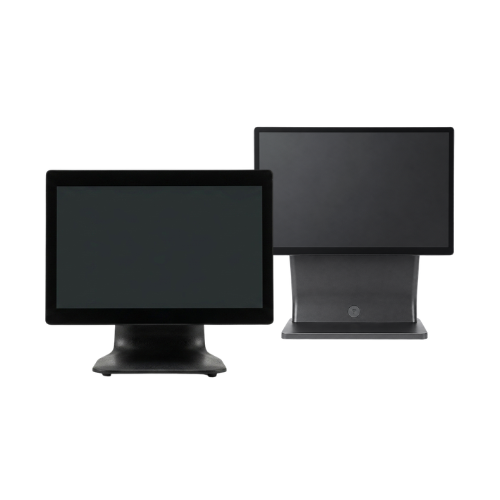
POS systems
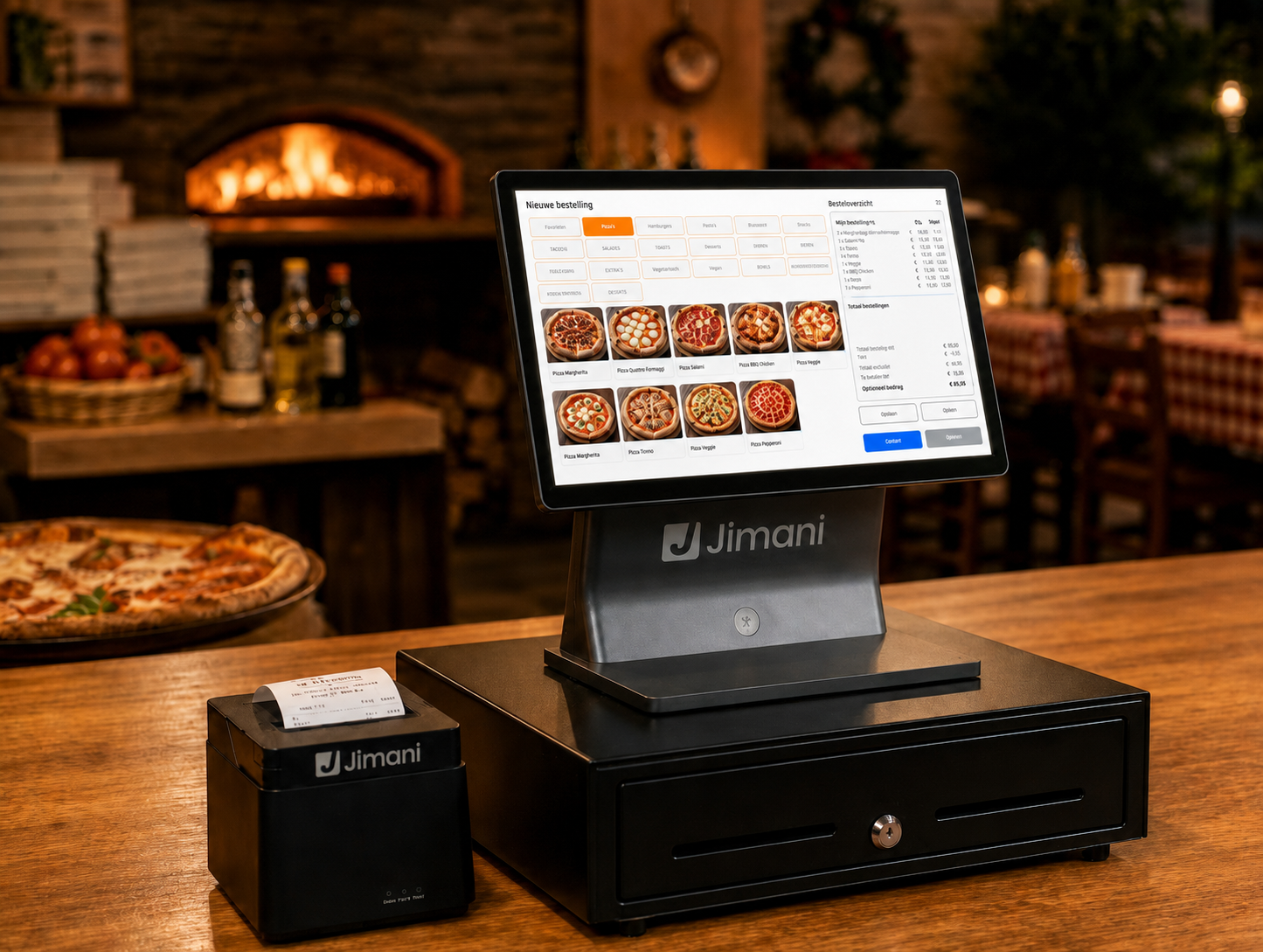
All-in-one POS system that brings together webshop, orders and payments in real time.
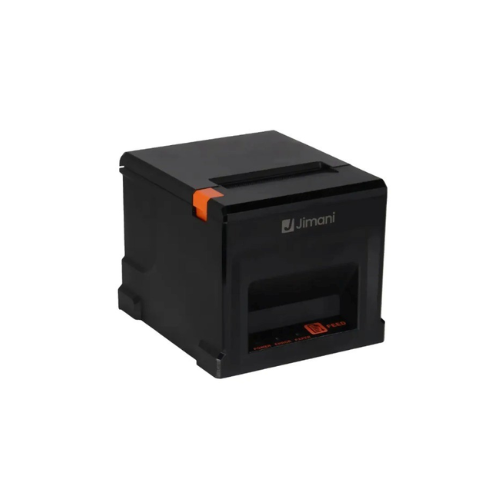
Receipt printers
Print orders automatically at the right location, directly from your POS system.
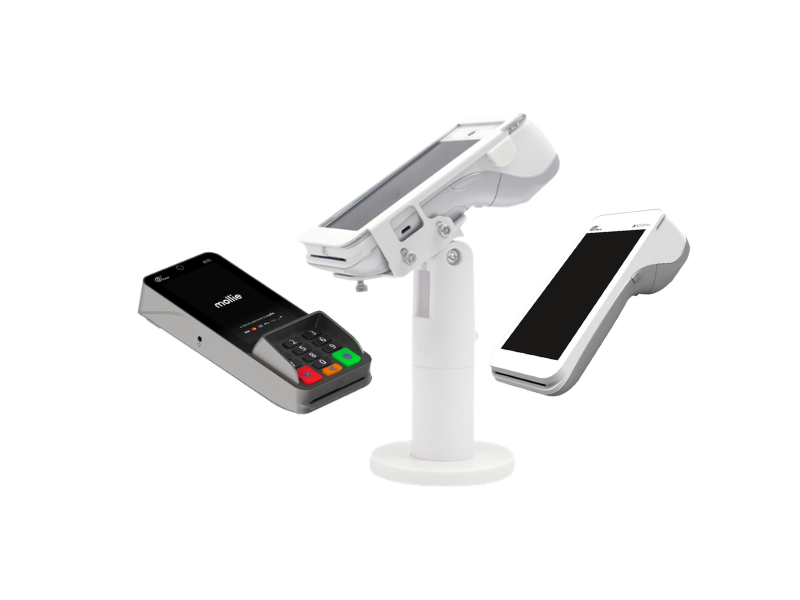
Pin terminals
Fast and secure payments with pin terminals that are automatically linked to your POS.
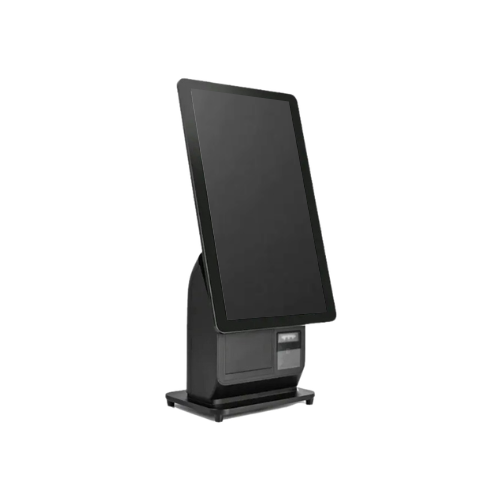
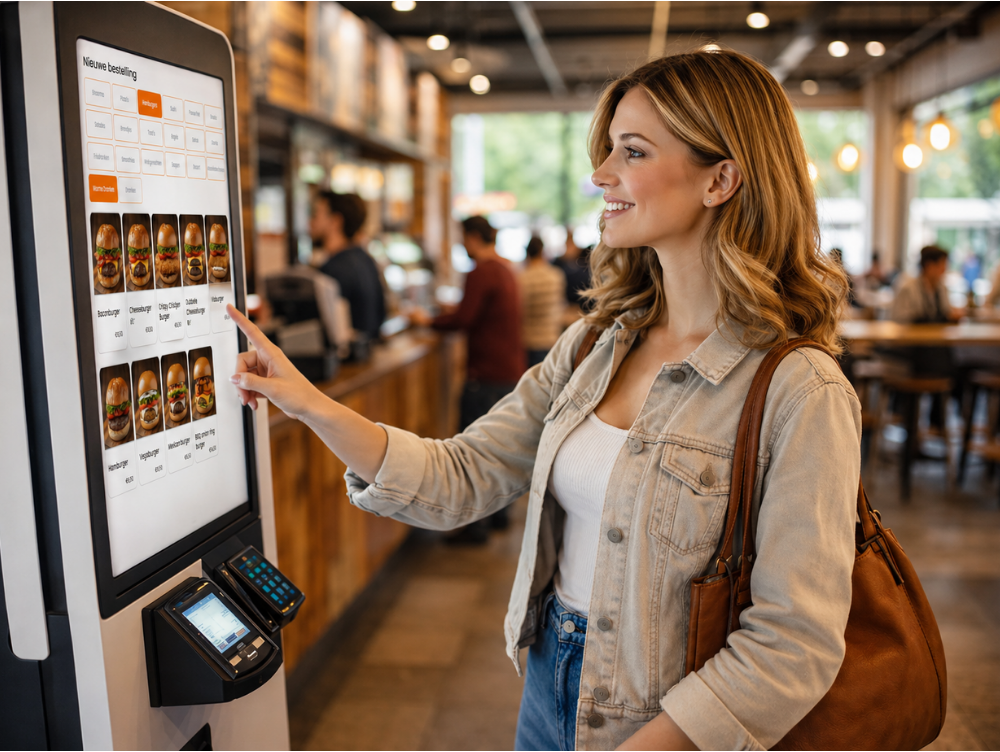
Kiosk and order terminals
Let customers order or reserve themselves and process everything automatically in your system.
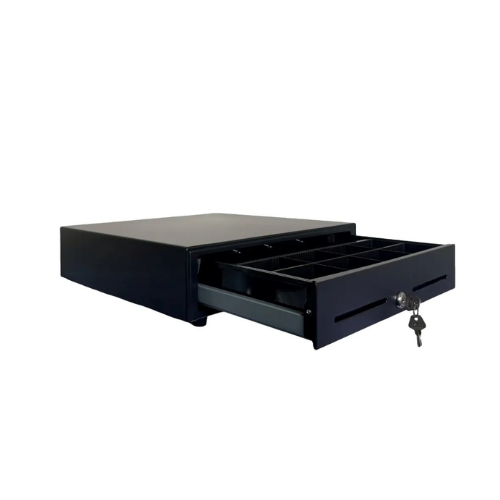
Cash drawers
Reliable cash drawers that open automatically during transactions and ensure fast, secure and organised cash handling. Perfectly integrated with your POS system.
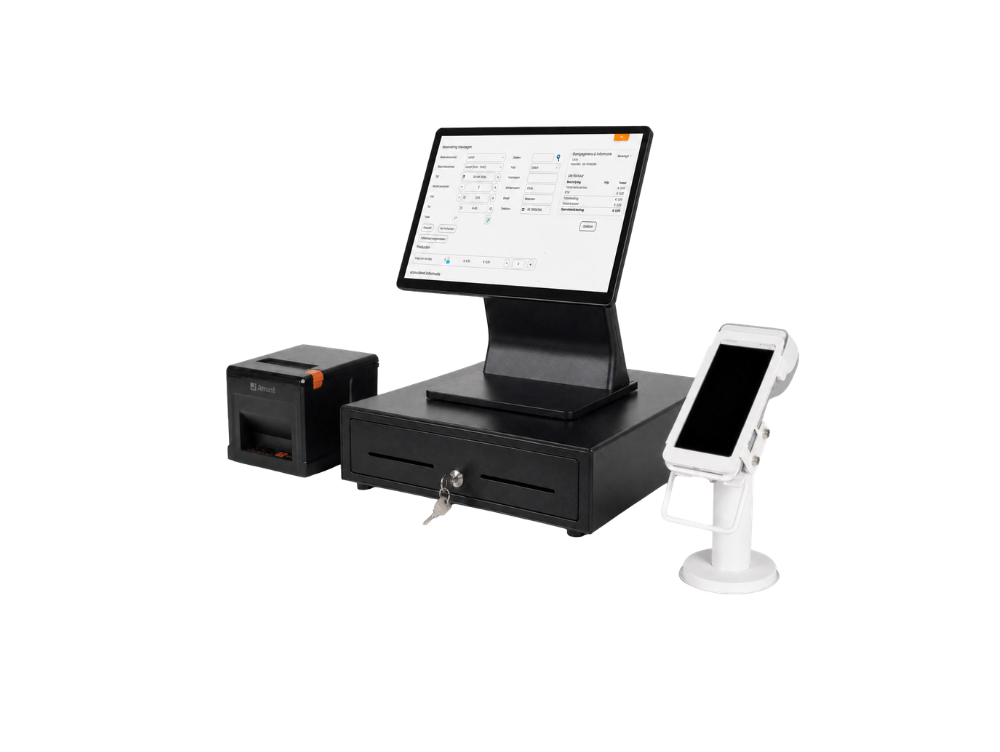
Online ordering system, webshop and POS system for food & beverage
With Jimani’s online ordering system and POS system you automate your complete e-commerce workflow for food sales in one central platform. Online orders for pickup, delivery or pre-ordering are processed in real time and directly linked to your POS system and kitchen.
Whether you run a snack bar, pizzeria, lunch room or fast service concept, every order from your food & beverage webshop comes in automatically in the same environment as your counter sales. Payments are processed directly and linked to the correct order, while orders are automatically forwarded to the right printer or kitchen screen.
Inventory, revenue and orders run fully in sync within the same POS system. When you sell a product through your webshop or online food & beverage ordering system, this is processed directly in your POS and administration without separate tablets, external ordering apps or manual entry.
All online and physical sales come together in one clear POS system for food & beverage. This way you work faster during peak moments, prevent errors in the kitchen and always maintain insight into revenue, orders and inventory.
With Jimani you combine webshop, online ordering system and POS in one integrated platform for food & beverage entrepreneurs who want online and offline sales to work together seamlessly.
Discover the possibilities



POS system for online and physical sales
Werk met één kassasysteem voor je foodwebshop én je fysieke locatie. Met Jimani worden online bestellingen voor afhalen of bezorgen, betalingen en verkoop aan de balie realtime verwerkt en automatisch gesynchroniseerd binnen hetzelfde platform.
An online order for pizza, snacks or meals appears directly in your POS and is automatically forwarded to the kitchen or the correct print point. When you sell a product in the venue, this is processed directly in your revenue and, where applicable, in your online availability. Everything runs in sync, without separate ordering apps or double entry.
This way you prevent errors during peak moments, maintain control over your orders and know exactly what is being sold, both online and on-site. You work from one central dashboard in which you have real-time insight into orders, revenue and performance.
Why choose Jimani for food sales?
- Online and offline orders automatically synchronised within one food & beverage online ordering system
- Directly linked to payments, kitchen and POS system
- One central dashboard for complete control over orders, revenue and webshop performance
With Jimani you combine webshop, kitchen and POS system for food & beverage in one integrated platform, specifically developed for food entrepreneurs who want online orders and physical sales to work together seamlessly.
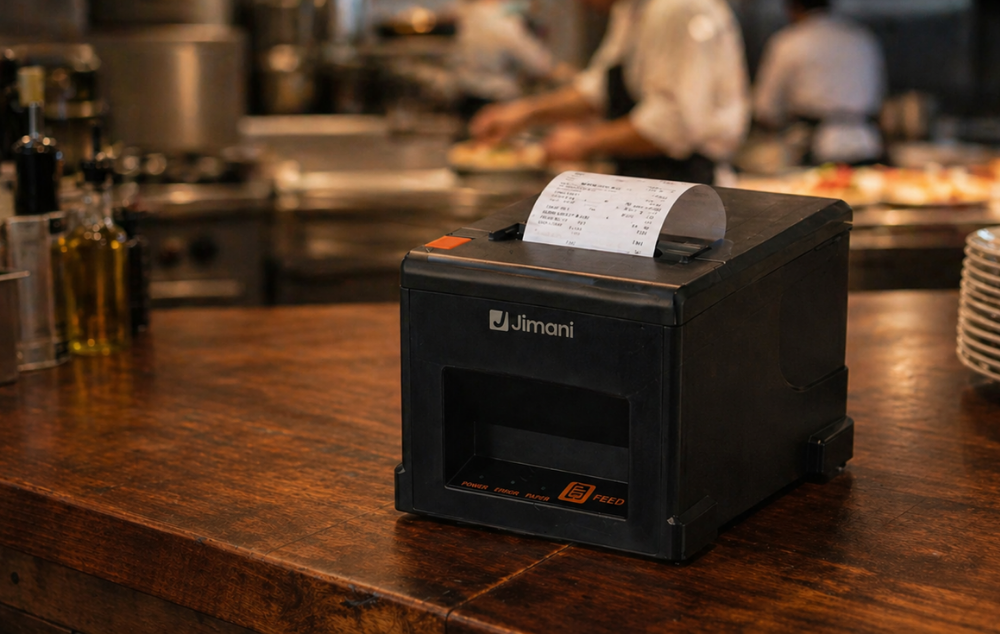
Receipt printers for restaurants and food sales
Do you have a restaurant, hotel, snack bar, pizzeria, lunch room or room service? Then you want online orders, reservations and POS sales to be processed directly and without errors, without having to switch between different systems.
Jimani is more than a POS system. It is a fully integrated reservation and sales platform. As soon as a webshop order or table reservation comes in, it is automatically linked to your POS and immediately forwarded to the right printer or kitchen screen. The kitchen, bar or pickup counter instantly receives the correct information.
Whether an order is placed online, taken at the table or sold at the counter, everything is processed in real time within the same central system. Payments, receipts and reservations run fully in sync.
No more separate tablets, no separate ordering apps and no manual transfers. You work from one clear platform where reservations, orders and payments come together.
This way you work faster during peak moments, prevent errors in the kitchen and maintain complete control over your revenue, both online and on-site.
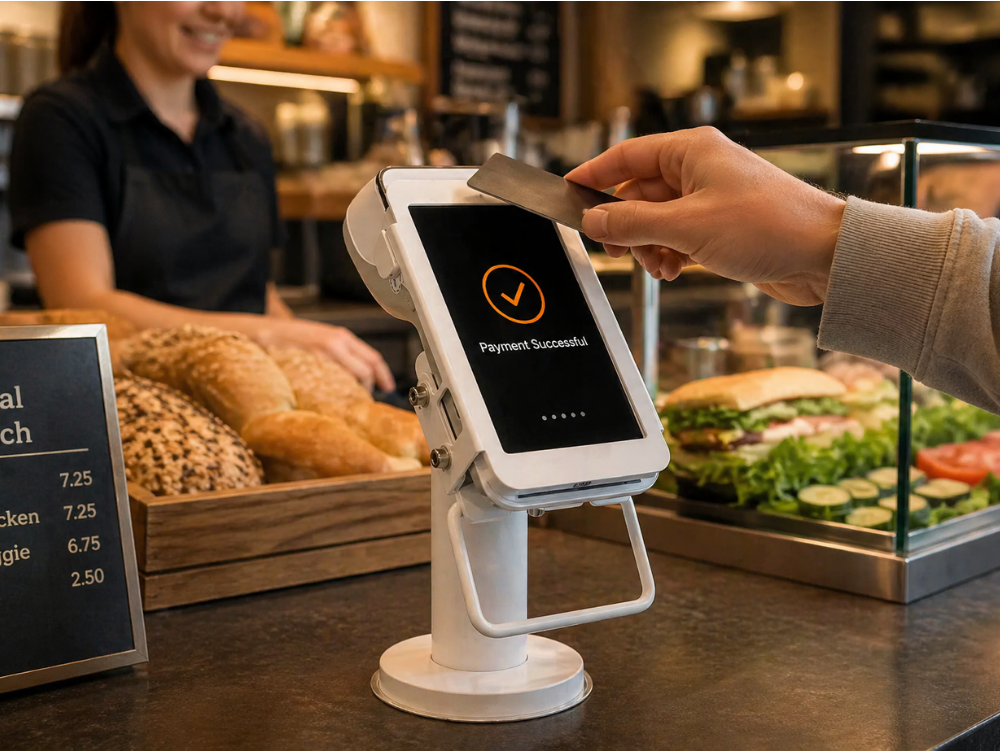
Pin terminals for fast and wireless payments
With Jimani’s pin terminals you process payments quickly, securely and fully integrated into your POS and reservation system. Whether you work in a restaurant, hotel, snack bar, pizzeria, lunch room or with room service, every payment is automatically linked to the correct table, order or reservation.
Because Jimani is built with reservations as its foundation, every transaction synchronizes directly with your POS, planning, and administration. You do not need to transfer amounts manually, preventing discrepancies between card terminals and the POS system.
From contactless payments at the counter to mobile checkout at the table or on location, everything is processed in real-time within the same central platform. This ensures continuous insight into revenue, open tables, and payment statuses.
No separate payment solutions, no separate systems, but one integrated environment in which reservations, orders and payments work together seamlessly.
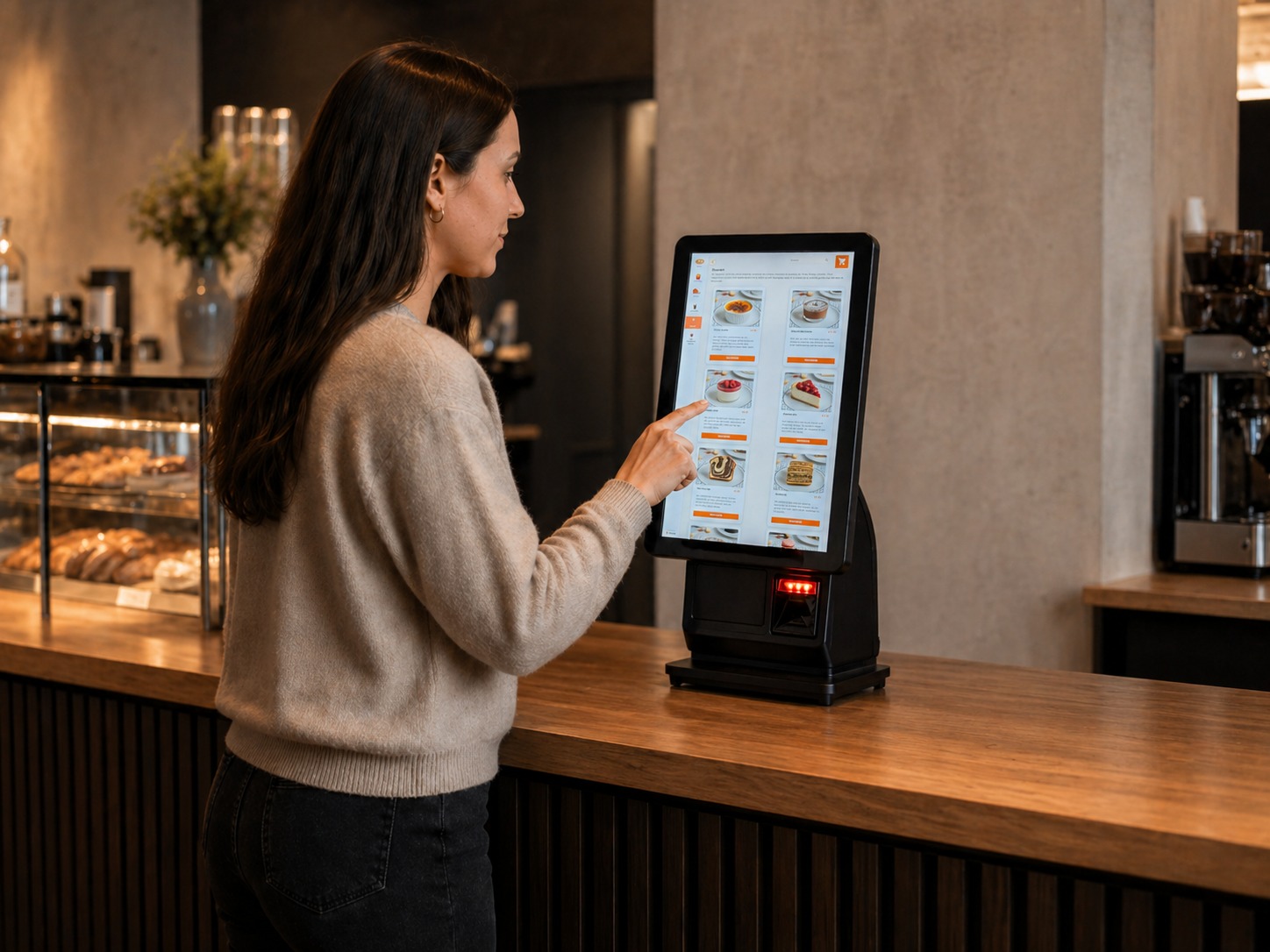
Kiosks and order terminals for faster ordering and more convenience
With Jimani’s kiosks and self-service terminals, you give guests the opportunity to order, reserve, or book an activity themselves. Ideal for restaurants, hotels, snack bars, pizzerias, lunchrooms, and room service concepts looking to work faster and reduce waiting times.
Because Jimani is built on reservations and is fully integrated with the POS system, all orders and bookings are processed in real-time within the same platform. An order via the kiosk appears immediately in the POS and is automatically forwarded to the kitchen, bar, or the correct processing point.
Reservations made via the kiosk are immediately included in the planning and linked to the correct table or activity. Payments automatically synchronize with your administration and revenue reports.
This way you reduce manual work, prevent errors during peak moments and continuously maintain an overview of orders, reservations and capacity.
Start your e-commerce POS system within 30 minutes
- Easily connect or activate your webshop
- Live with online sales within 1–2 business days
- Orders automatically linked to your POS system
- Plug & play, ready to sell online immediately
Start your POS system within 30 minutes
With Jimani, you can easily link your webshop, orders, and payments yourself, without technical knowledge or installers. Everything works together immediately in one central system.
Connect your webshop, activate your payments, and start selling right away. Online orders, pickups, deliveries, and payments are automatically processed and linked to your POS, inventory, and administration.
Professional e-commerce automation, without technical complexity, without installation costs and above all without hassle.
No monthly fee
Complete e-commerce system, without a monthly fee. The Jimani webshop is perfect for shawarma restaurants and grill rooms, snack bars and cafeterias, takeaway restaurants, sandwich shops, pizzerias and sushi restaurants looking to sell online. Fully integrated with your reservation and POS system, including delivery and pickup options.
Easily manage products, payments and orders in one central environment. No hidden costs, fully transparent.
- At the start you pay a one-time €279 onboarding fee (excl. VAT); in return we set everything up together with you.
*All prices are excluding VAT
Add-ons & extensions
Optionally expandable with:
- Additional POS license: €15 per month
Blogs

External devices in the E-commerce platform
Do you want to grow your restaurant, snack bar, or room service without getting bogged down in separate systems and technical hassles? A professional webshop is the [..]
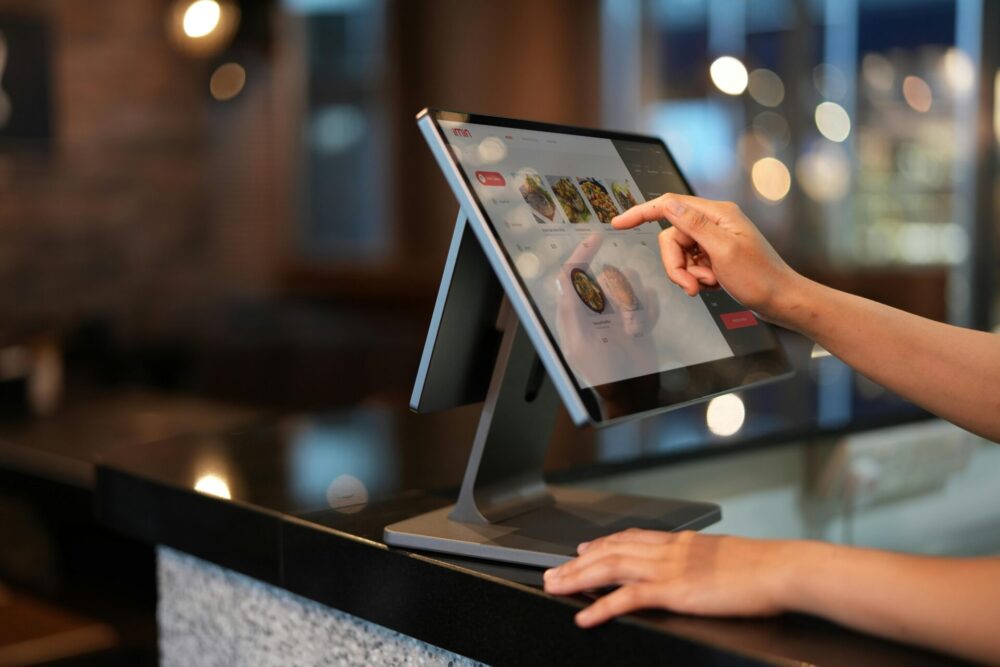
Transform your location with state-of-the-art kiosks and smart QR codes
Staff shortages, increasing queues and guests who are increasingly valuing speed and convenience: these are the challenges of the modern entrepreneur. Every missed o[..]

Boost your sales with flexible menu options and irresistible combo deals
Consumers love two things: convenience and the feeling that they have scored a good deal. In an online food shop, this often translates into combo deals and menu opt[..]
For a complete E-commerce POS setup, a POS screen, receipt printer, and payment terminal are recommended as a minimum. With this basic equipment, you can process orders, accept payments, and forward orders directly to the kitchen or pickup point.
Because the Jimani E-commerce system is fully integrated with the POS, online orders, pickup orders, and payments are automatically processed within the same central platform. This provides you with real-time insight into orders, payments, and revenue at all times.
Depending on your business’s workflow, you can further expand the setup with additional hardware such as self-service kiosks, handheld terminals, or extra POS screens. This is particularly useful for establishments such as kebab shops, snack bars, cafeterias, takeaway restaurants, sandwich shops, pizzerias, and sushi restaurants where many takeaway or online orders are processed. Read more here.
Yes, within the Jimani E-commerce system, you can use buzzers or pagers to inform customers when their order is ready. This is particularly useful for businesses such as kebab shops, snack bars, cafeterias, takeaway restaurants, sandwich shops, pizzerias, and sushi restaurants where customers collect their orders themselves.
When an order is received via the cash register, webshop, kiosk, or QR code, it is automatically forwarded to the kitchen or the collection point. As soon as the order is ready, a buzzer or pager can be activated so that the customer receives a signal to collect their order.
This keeps the collection process organized, reduces waiting times at the counter, and allows staff to issue orders more quickly and efficiently. All orders and payments remain automatically linked to the central Jimani POS system.
Yes, within the Jimani POS system, you can link multiple self-service kiosks to one central system. This allows customers to place orders via a kiosk at various locations within your establishment, while all orders are automatically processed in the same POS system.
Orders placed via a self-service kiosk are directly linked to the Jimani platform and automatically forwarded to the kitchen, the pickup point, or the correct receipt printer. This ensures that all orders, payments, and reports remain organized within a single system.
By using multiple kiosks, you can easily create additional ordering points, which reduces waiting times and makes the ordering process faster and more efficient for customers. Read more here.
Yes, within the Jimani E-commerce system, you can utilize kiosks or self-service terminals. These allow customers to place their own orders and pay immediately via a touchscreen, for example at the entrance or at a pickup point.
Orders placed via a kiosk are automatically linked to the central Jimani POS system. As a result, they appear immediately in the register and are automatically forwarded to the kitchen, the distribution point, or the correct receipt printer.
Because kiosks are part of the same Jimani platform, all orders, payments, and reports remain organized within a single system. This helps to reduce waiting times, speed up the ordering process, and deploy staff more efficiently. Read more here.
Yes, within the Jimani POS system you can use handheld terminals to take orders and process payments in different areas of your business. For example, employees can take orders at the table, at pickup counters, or at other locations within your venue.
All orders entered through a handheld terminal are automatically connected to the central Jimani platform. This means orders instantly appear in the POS system and are automatically sent to the kitchen, the correct receipt printer, or the appropriate kitchen display system (KDS).
In addition, handheld terminals can also be used for tap-to-pay payments. This allows staff to complete transactions quickly and flexibly, while all orders, payments, and reports are automatically recorded in the same system. Read more here.
When an order is placed through the POS system, a handheld, a QR code or a kiosk, it is sent digitally to the appropriate kitchen screen. The kitchen receives the order there for preparation.
This gives kitchen staff a digital workflow for orders arriving through these different channels. They can then update the order status on the display, helping service staff follow its progress until it is ready to serve.
Yes, a handheld terminal can also be used as a payment terminal via tap-to-pay. In this case, the payment is processed directly through the device.
It is important to note that with this solution, a physical payment card cannot be inserted and a receipt cannot be printed directly. If a guest wishes to pay with a physical card, the Mollie A920 Pro, for example, can be used. This terminal supports card payments and also features a built-in receipt printer for printing proof of payment.
If a guest requires a receipt or invoice, it can also be easily sent via email with the touch of a button. Read more here.
Yes, within the Jimani POS system you can easily use multiple receipt printers. You can configure which printer receives an order per product, category, or sales point.
This allows orders to be automatically printed in the correct location, for example in the kitchen, at the bar, or at the pickup counter. As soon as an order is placed via the POS, webshop, QR code, or kiosk, it is immediately sent to the appropriate receipt printer.
Because everything runs within the same Jimani platform, the system always knows exactly where each order should go. This ensures a clear workflow and helps prevent errors or delays when processing orders.
The costs for hardware depend on the devices required for your business, such as POS screens, self-service kiosks, receipt printers, payment terminals, or handheld terminals. This hardware can be easily ordered via the Jimani webshop, ensuring all devices are directly compatible with the Jimani platform.
The Jimani E-commerce system (the online webshop) has no monthly fee and is linked to your POS system. It lets you manage online orders, payments and products in one central environment. When you start, you pay a one-off onboarding fee of €279.
If you want to use multiple registers, you pay €15 per month per additional register. In addition, a fixed list of extra features costs €5 to €29 per month, such as a kitchen display (KDS) or a handheld (each €5 per month per device). All prices exclude VAT.
This allows you to flexibly expand your E-commerce setup with the hardware and functionalities that best suit your restaurant, snack bar, pizzeria, or takeaway business. Read more about rates here.
Yes, within the Jimani POS system, you can connect multiple kiosks to one central point of sale. Each kiosk is directly linked to the Jimani platform, ensuring that orders are automatically registered in the same system.
This allows for the use of multiple ordering points within, for example, a restaurant, hotel, snack bar, pizzeria, lunchroom, or room service. All orders are consolidated into a single system and automatically forwarded to the correct printer or kitchen display, ensuring you always maintain an overview of all orders. Read more here.
When a customer places an order via the Jimani POS system, a QR code, or an ordering kiosk, for example, this order is automatically registered in the central Jimani platform. From there, the order is immediately forwarded to the kitchen or the correct distribution point.
Depending on the system settings, the order can be automatically printed on the correct receipt printer or displayed on a Kitchen Display System (KDS). You can configure per product or category where the order should appear, such as in the kitchen, at the bar, or at the pickup point.
Because everything operates within the same Jimani platform, the system knows exactly where each order needs to go. As a result, orders are processed without manual entry, ensuring the ordering process remains fast, clear, and error-free. Read more here.
The Jimani POS system is designed to easily grow with your business. When you open multiple branches, you can add extra registers per location while everything continues to operate within the same platform.
This allows you to manage orders, payments, and reports per branch, while maintaining insight into the overall performance of your business from one central environment. Read more here.
Yes, within the Jimani E-commerce system you can easily add multiple registers or points of sale. The first register is free; each additional register costs €15 per month.
The E-commerce system (the online webshop) has no monthly fee and is directly linked to your POS system. As a result, online orders, payments and product data are automatically synchronised with your register.
You can also expand the system with extra features. A fixed list of extra features costs €5 to €29 per month, such as a kitchen display (€5 per screen). Organisations with multiple locations manage all sites centrally within Jimani. All prices exclude VAT.
When you add extra points of sale or hardware, all orders, payments, and reports remain automatically synchronized within the same central Jimani platform. This ensures you always maintain a complete overview of your online and offline sales. Read more here
Yes, the Jimani POS system is designed so that you can easily install it yourself. You do not need a technician or technical knowledge. You simply plug in the devices, connect them to the internet, and follow the steps in the system.
Your POS system will be ready for use within minutes. Because all hardware works directly with the Jimani platform, you can start quickly without installation costs or complicated configurations.
Make sure there is a stable internet connection at the location. Read more here
Within the Jimani POS system, online orders are automatically registered as a separate sales channel. This allows you to easily distinguish between revenue from online orders, point-of-sale transactions, QR orders, or self-service kiosks.
In the dashboard and reports, you can view this data separately. For example, you can see how much revenue was generated through online orders and how this compares to your total revenue.
Because all orders are processed within the same Jimani platform, the data is updated in real time. This ensures you always have a clear and up-to-date overview of your online revenue and can better analyze the performance of your e-commerce activities. Read more here.
Yes, within the Jimani E-commerce system, you can set minimum order amounts. This means that a customer can only place an order once the total order amount reaches a certain minimum.
This setting is particularly useful for delivery orders, where you might want to apply a minimum order amount to ensure delivery costs remain profitable. When a customer places an order that is below the minimum amount, the system will indicate that the order amount must be increased before the order can be completed.
Minimum order amounts are automatically applied in the online ordering environment, ensuring customers can immediately see when they have reached the minimum order amount. This keeps the ordering process clear and transparent for both the customer and the business owner. Read more here.
When an online order is canceled, this change is automatically processed within the Jimani POS system. The canceled order remains visible in the system but is clearly marked as canceled, ensuring you always maintain a complete overview of all orders.
The administration is automatically updated accordingly. Any payments, refunds, or adjustments are correctly registered within the same order. This ensures your financial administration remains accurate and prevents the need for manual corrections.
Additionally, canceled orders remain visible in reports, providing insight into the number of cancellations and the flow of online orders. This allows for better analysis of your ordering process.
Within the Jimani POS system, you can easily link extra options such as sauces, toppings, or other add-ons to a product. When a customer places an order via the POS, QR code, webshop, or kiosk, these options can be selected directly.
The selected options are automatically added to the order and clearly displayed on the receipt, order printer, or kitchen display screen (KDS). This allows the kitchen staff to immediately see which extras belong to the product, such as additional sauces, toppings, or other modifications.
In addition, the selected options are automatically included in the total price of the order and registered in the POS system. This keeps orders organized and ensures that all extras are correctly processed in the administration and reporting. Read more here.
Within the Jimani POS system, you can link products to inventory management. When a product is no longer available, the system can automatically apply a block so the item can no longer be ordered temporarily.
As soon as a product is sold out, it is automatically blocked for new orders in the online ordering environment, kiosks, and the POS screen. This prevents customers from selecting the product and ensures that the kitchen does not receive orders for items that are no longer in stock.
You can also manually block products temporarily through the POS or management system. For example, when an ingredient is out of stock or a product is temporarily unavailable. This way you always maintain full control over your menu and product availability. Read more here.
Within the Jimani E-commerce system, you can use settings to better regulate the flow of orders during busy periods. For example, you can work with time slots, maximum order quantities per time block, or adjusted preparation times.
When a high volume of online orders is received, the system can automatically move new orders to a later time or temporarily limit them. This provides the kitchen with sufficient time to process existing orders and ensures the workload remains manageable.
Additionally, orders are clearly displayed on receipt printers or kitchen screens, allowing kitchen staff to see exactly which orders are in progress and which are yet to be prepared. This ensures the ordering process remains organized and efficient, even during peak hours. Read more here.
Within the Jimani platform, online orders are automatically linked directly to the central POS system. As a result, an order is registered only once and processed immediately in the same environment as your other orders.
When a customer orders via the webshop, QR code, self-service kiosk, or POS, for example, the order is automatically synchronized with the system. This eliminates the need for staff to manually re-enter orders, which prevents duplicate entries.
Furthermore, all orders are assigned an order number and are updated in the system in real time. This ensures you always maintain a clear overview of all incoming orders and prevents orders from being entered twice into the POS system.
Yes, within the Jimani E-commerce system, you can use separate settings for pickup and delivery orders. For example, you can set different time slots, delivery areas, minimum order amounts, or delivery fees.
When a customer places an order via the webshop, QR code, POS system, or ordering kiosk, they can choose between pickup or delivery. The system automatically processes this choice and ensures that the order is registered and handled correctly.
Additionally, you can see immediately for each order whether it is intended for pickup or delivery, allowing the kitchen and the service point to take this into account. This keeps orders organized and enables you to manage the ordering process efficiently within your business. Read more here.
Within the Jimani E-commerce system, customer data is automatically saved with every online order. When a customer places an order via the webshop, QR code, or ordering page, details such as name, contact information, and order history are linked to the customer profile.
You can easily view this data within the POS system. This allows you to see immediately which orders a customer has previously placed, which products are frequently ordered, and how often a customer returns. This provides you with valuable insights into your customers’ purchasing behavior.
In addition, all orders, payments, and customer data remain centrally stored within the Jimani platform. This enables you to easily view reports and better respond to returning customers, popular products, and the optimization of your online sales. Read more here.
Yes, within Jimani you can switch directly from the POS screen to different screens, such as the order screen, POS interface, or reservation screen. This allows staff to easily switch between different tasks without needing to open a separate system.
Because the POS is part of the same Jimani platform, orders, customer data, and payments are automatically connected. For example, you can view an online order on the order screen, adjust it via the POS, or process it directly for pickup or delivery.
If an order has already been paid online, the payment is automatically linked to the order in the system. This keeps the administration clear and ensures that the customer always receives one clear receipt that includes all orders and payments.
In addition, with just one click you can email a receipt to the customer or send an invoice with payment, for example for larger orders or business customers.
Within the Jimani e-commerce system, all sales channels are automatically processed within one central POS system. Orders coming from counter sales, online ordering, or self-service kiosks are immediately registered in the same system.
The POS automatically recognizes which sales channel the order comes from and processes it accordingly. For example, online orders are automatically sent to the kitchen or the correct pickup point, while counter sales are entered directly through the POS screen.
Because all sales channels operate within the same Jimani platform, orders, payments, and reports remain fully synchronized. This ensures you always have a complete overview of all orders, whether they were placed at the counter, through the webshop, or via a self-service kiosk. Read more here
When you have multiple locations, you can easily switch between sites via the main dashboard. From this central environment, you can view all data per location, such as orders, payments, and reports.
The POS system works the same way at every location and can easily be expanded with additional registers, hardware, and functionalities. This allows the system to grow flexibly as your business expands to multiple locations. Read more here
Yes, kiosk orders are automatically forwarded to the kitchen via the Jimani POS system. As soon as a guest places an order via the kiosk, it is immediately registered in the POS and forwarded to the correct receipt printer or kitchen display.
This ensures that the kitchen can see the order immediately and begin preparation. Whether it concerns a restaurant, hotel, snack bar, pizzeria, lunchroom, or room service, all kiosk orders are processed automatically without the need for staff to enter them manually. Read more here.
When a guest places an order via a kiosk, it is automatically forwarded to the Jimani POS system. The order is immediately registered in the POS and linked to the correct order, ensuring it is instantly visible to staff.
This process is consistent across various types of hospitality businesses, such as restaurants, hotels, snack bars, pizzerias, lunchrooms, or room service. Orders are automatically sent to the appropriate receipt printer or kitchen display, allowing the kitchen to begin preparation immediately without the need for manual entry by staff. Read more here
When a guest places an order and pays via a QR code, the payment is automatically processed within the Jimani POS system. The payment is directly linked to the corresponding order, ensuring the system knows exactly which order has been settled.
Because QR payments are part of the same Jimani platform, all transactions are automatically added to the daily turnover and administration. This eliminates the need to manually register payments and ensures your financial overview remains up to date.
QR orders are automatically linked to the Jimani POS system. When a guest places an order via a QR code, it is immediately registered in the POS.
The order is then automatically forwarded to the correct printer or kitchen display. This ensures that QR orders appear directly in the same system as other orders, allowing everything to be processed centrally. Read more here
Yes, within Jimani you can easily switch to the order screen via the cash register. This allows employees to enter orders directly when a guest orders at the counter, as well as when an online order needs to be manually adjusted or added. Consider, for example, adjusting an online order or entering a telephone order.
Because the cash register is part of the same Jimani platform, all orders are automatically linked to the correct point of sale and forwarded directly to the kitchen or the appropriate distribution point. This ensures that all orders remain organized within one central system.
This is ideal for businesses such as snack bars, pizzerias, grill rooms, takeaway restaurants, sandwich shops, and other catering establishments that work with various ordering channels.
Online orders, kiosk orders, QR orders, and counter sales are all processed within the same cash register. This allows you to see in real time which orders have been placed, which are still in preparation, and which have already been picked up or delivered.
In addition, with the touch of a button, you can email a receipt to the customer or send an invoice with a payment link, for example for larger orders or business clients.
The Jimani POS system is part of a single integrated platform where reservations, orders, payments, and customer data converge. This means you do not work with different systems or external integrations, but with one central environment where all data is immediately available.
Within the system, you can easily switch between the reservation overview, the floor plan, and the point of sale. When a guest arrives, you can check them in directly via the reservation screen and take orders from the same environment. Orders are automatically linked to the correct table and guest, ensuring all transactions are clearly registered on a single bill. For example, if a deposit has already been made during the reservation, it is automatically deducted from the total bill.
Additionally, with the touch of a button, you can email a full receipt to the guest or send an invoice with a payment link, for instance, for group reservations or events. This ensures that the entire administration is managed directly from the same system.
For businesses that also wish to process online orders, Jimani offers an integrated webshop. This is ideal for snack bars, pizzerias, grill rooms, takeaway restaurants, and sandwich shops that want to receive online orders for pickup or delivery. All online orders are automatically linked to the POS system and processed within the same administration.
All hardware, such as POS screens, kiosks, kitchen displays, payment terminals, receipt printers, and handheld terminals, is linked directly to the Jimani platform. As a result, orders are automatically connected to, for example, a QR code, customer account, or table and reservation number, providing you with real-time insight into your sales and guest data. Read more here
Customers about Jimani
Smooth Restaurant Management
At Jongleert Restaurant, part of the Scalda school group, we are very pleased to use Jimani. This system enables us to m[..] Read more
Smooth Restaurant Management
At Jongleert Restaurant, part of the Scalda school group, we are very pleased to use Jimani. This system enables us to manage reservations for our student-run restaurants quickly and easily. Thanks to Jimani, the reservation process runs smoothly and efficiently.

Incredibly Useful Program
Jimani is an incredibly useful program because it can combine both activity and table reservations into one. They collab[..] Read more
Incredibly Useful Program
Jimani is an incredibly useful program because it can combine both activity and table reservations into one. They collaborate with you and are very flexible. This, combined with a well-organized program, makes us very satisfied!

Great for Padel Courts
Jimani is an excellent system for booking padel courts, tennis courts, and children’s parties. It offers the conve[..] Read more
Great for Padel Courts
Jimani is an excellent system for booking padel courts, tennis courts, and children’s parties. It offers the convenient option of combining both the sporting activity and, for example, a table in one reservation. In addition, the team is very flexible and happy to help you. That ensures that we are satisfied!

Very User-Friendly
Jimani is a clear and user-friendly reservation system that can easily be adjusted to your own preferences. When we want[..] Read more
Very User-Friendly
Jimani is a clear and user-friendly reservation system that can easily be adjusted to your own preferences. When we want to add something new, they provide expert advice!

Perfectly Matches Our Offerings
We use Jimani because it fully aligns with our offerings. It is also clear that it was developed by people from the hosp[..] Read more
Perfectly Matches Our Offerings
We use Jimani because it fully aligns with our offerings. It is also clear that it was developed by people from the hospitality industry. It’s easy to make and adjust a reservation, and in the end, you have a clear overview! Adjustments in the system itself are also resolved quickly and carefully, which is ideal!
