


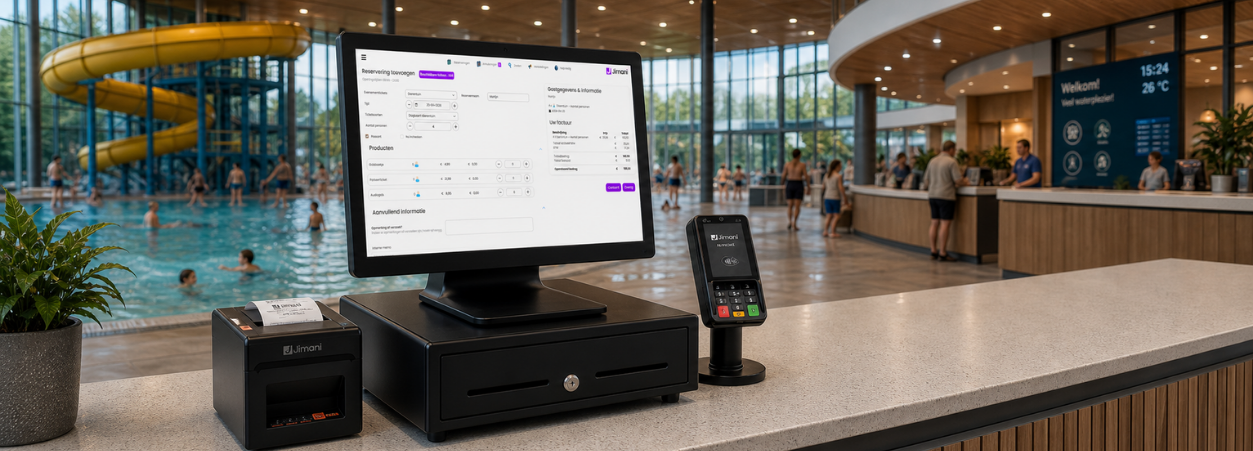
POS system for ticket sales and access control
Manage tickets, access control, and payments from one platform.
Ticket sales POS system
Manage tickets, scans, payments, and visitors in real time in one central system.
Events require more than just ticket sales. You need control over visitor flows, capacity, access control, and real-time insight into revenue both before and during the event.
Jimani’s POS system for ticket sales is built on reservations as its foundation and expanded with a fully integrated ticketing system. This allows you to manage your entire event within one central platform. Online ticket sales, early bird promotions, on-site counter sales, entrance scanning, and real-time visitor registration all work together within the same ticket POS system.
Every ticket sold is automatically linked to the correct payment and is immediately visible at the scanning points. Upon entry, each visitor is registered in real time, giving you continuous insight into current visitor numbers and remaining capacity. If you also sell drinks, food, or merchandise, that revenue is automatically processed within the same POS system.
Whether it’s a trade show, festival, corporate event, or cultural event, tickets, hospitality sales, scanning, and POS transactions all come together in one integrated ticketing POS system. This gives you full control, reduces queues, and ensures a professional and seamless visitor experience.
Everything for your ticketing and visitor management in one system.
Work with a complete ticketing and POS system for €49 per month + €0.10 per ticket, including a POS license and lower costs per ticket.










POS solutions for ticket sales
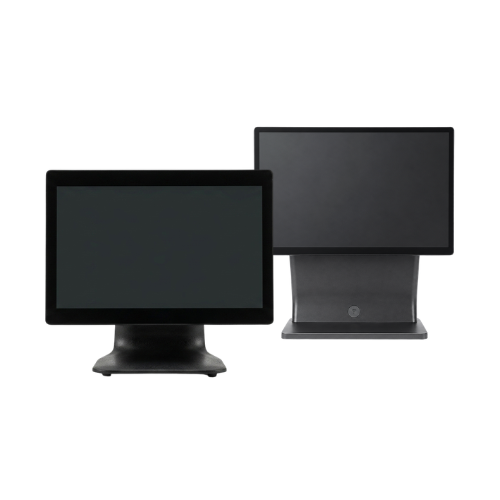
POS systems
Sell tickets at the counter and manage visitors, payments, and access in real time in one system.
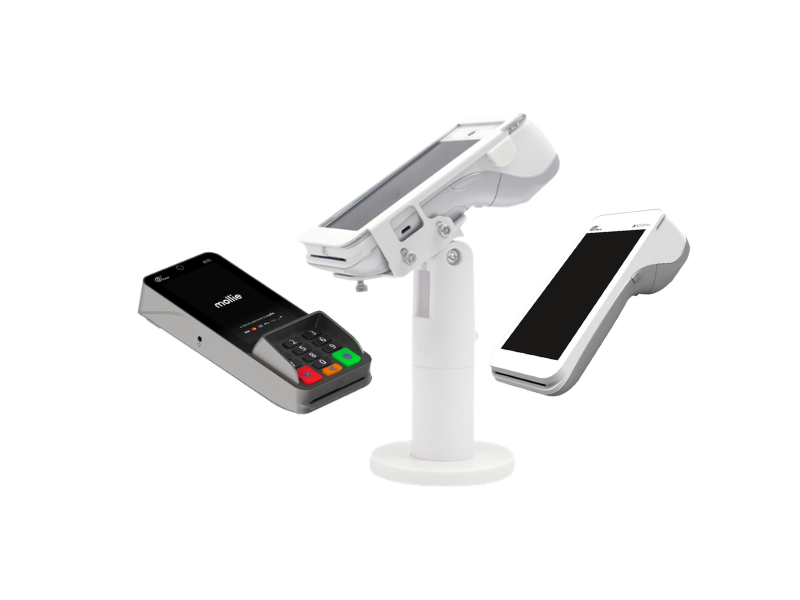
PIN terminals
Let visitors pay quickly and securely at the POS or counter.
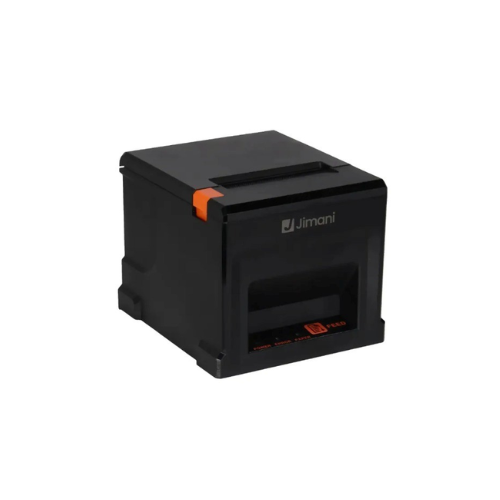
Receipt printers
Print tickets, wristbands, or confirmations directly on site.
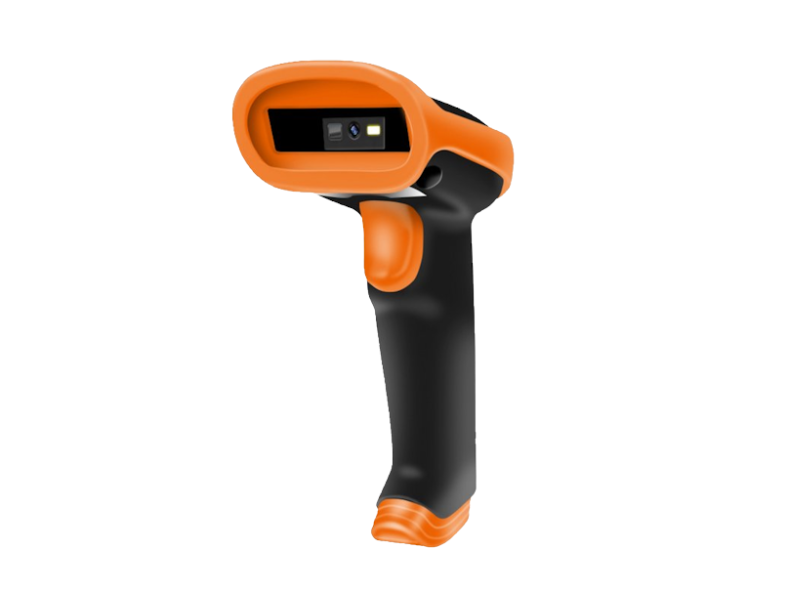
Handheld scanners
Scan tickets and QR codes instantly upon entry for smooth and controlled access.
Benieuwd naar al onze kassasysteem oplossingen?



POS systems for fast and organized ticket sales
Sell tickets, process payments, and register visitors in real time in one central system.
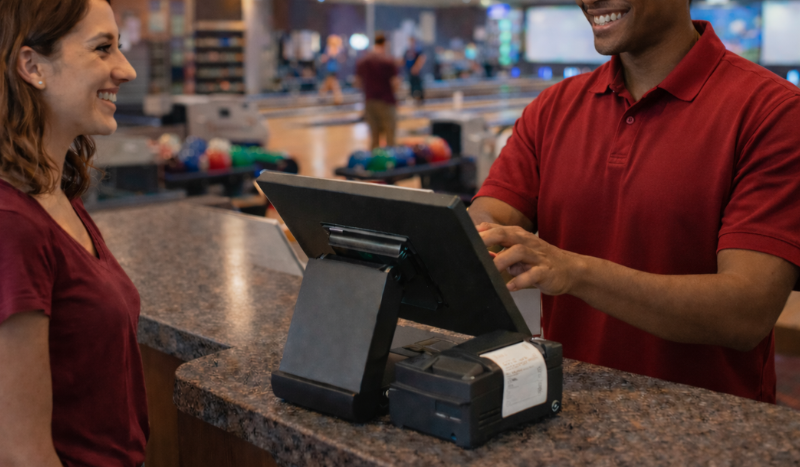
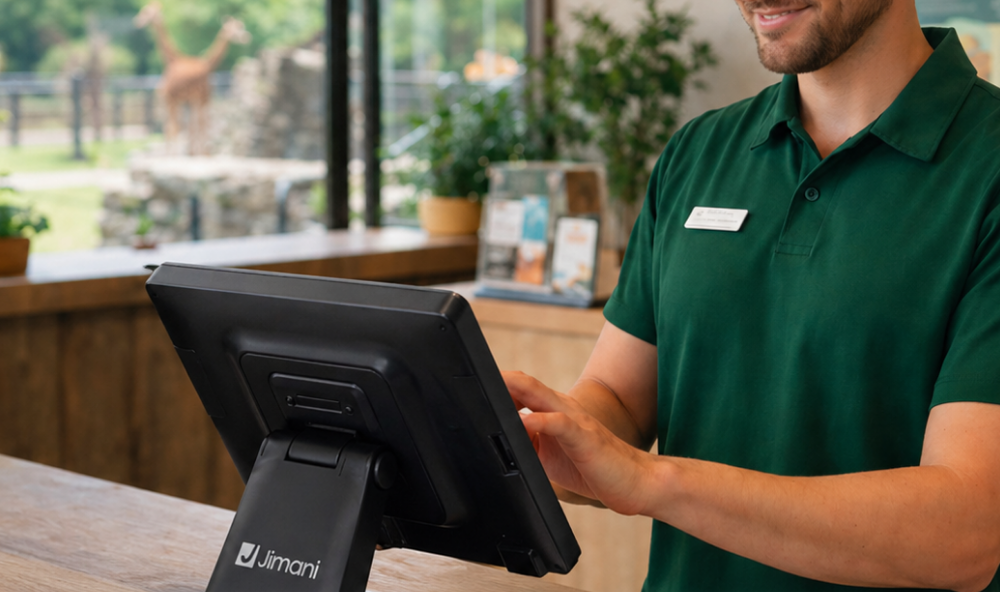
Work faster at the counter with Jimani’s POS system for ticket sales. Sell tickets, process payments, and register visitors in real time within one clear and integrated platform.
Because Jimani is built with reservations and ticketing as its foundation, online ticket sales and POS sales are fully connected. If a ticket is purchased online, it is immediately visible in the ticketing system. If you sell a ticket on-site, it is automatically added to your capacity and visitor registration.
Scanning gates and ticket validation are directly connected to the ticket POS system. As soon as a ticket is sold or scanned, it is processed in real time. This gives you continuous insight into current visitor numbers, remaining capacity, and total revenue.
With Jimani, you avoid separate systems for ticketing, scanning, and payments. Everything works together in one central environment, allowing you to work more efficiently and minimize errors with every ticket sale.
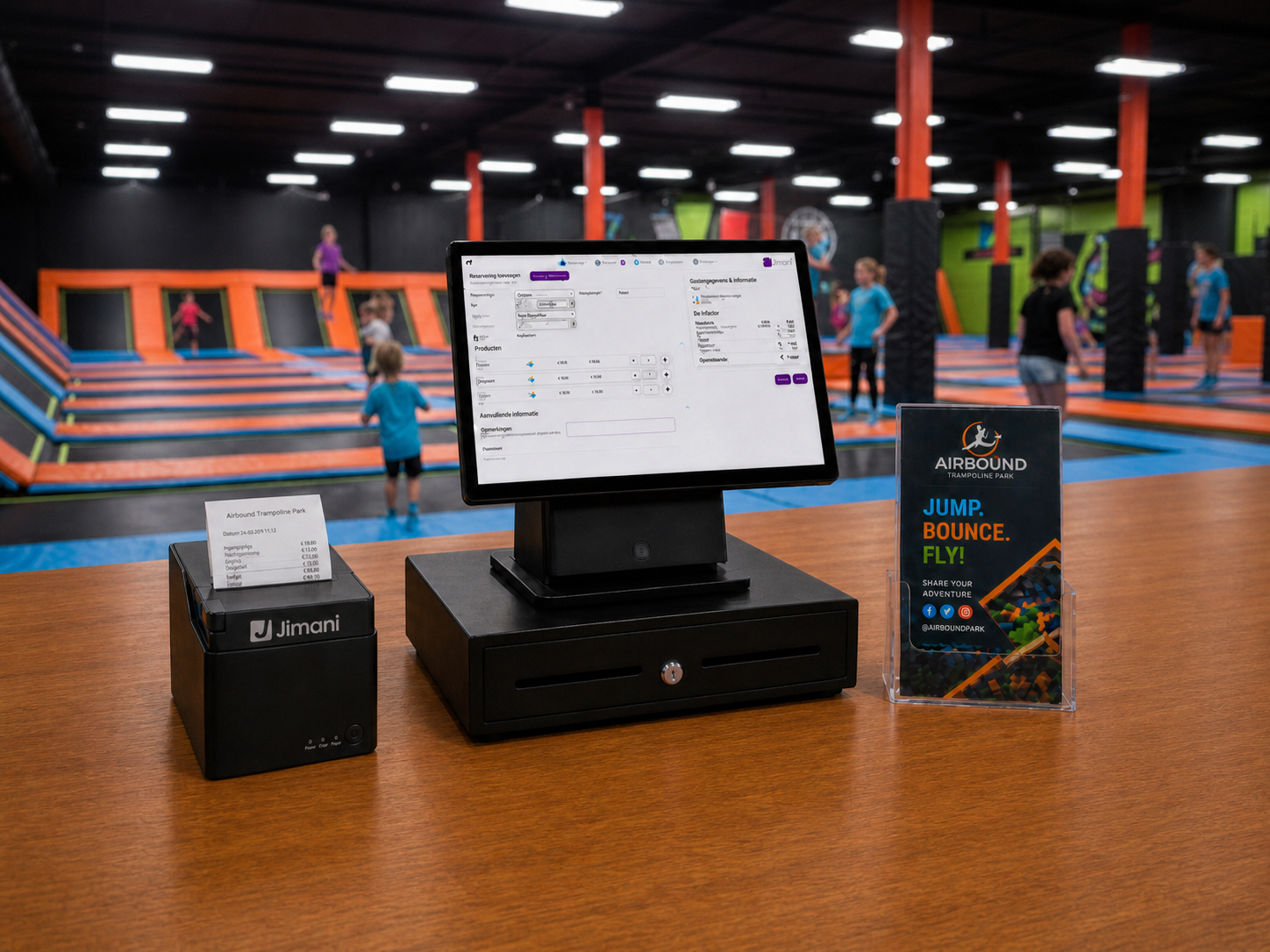
Why choose the Jimani POS system?
- Real-time ticket sales and visitor registration
- Directly connected to scanning gates and ticket validation
- Insight into sales, capacity, and visitor flows
- Supports all payment methods via integrated card payments
- Plug & play, ready to use immediately
With Jimani, you manage ticket sales, access, and payments from one system that scales with your event or venue.
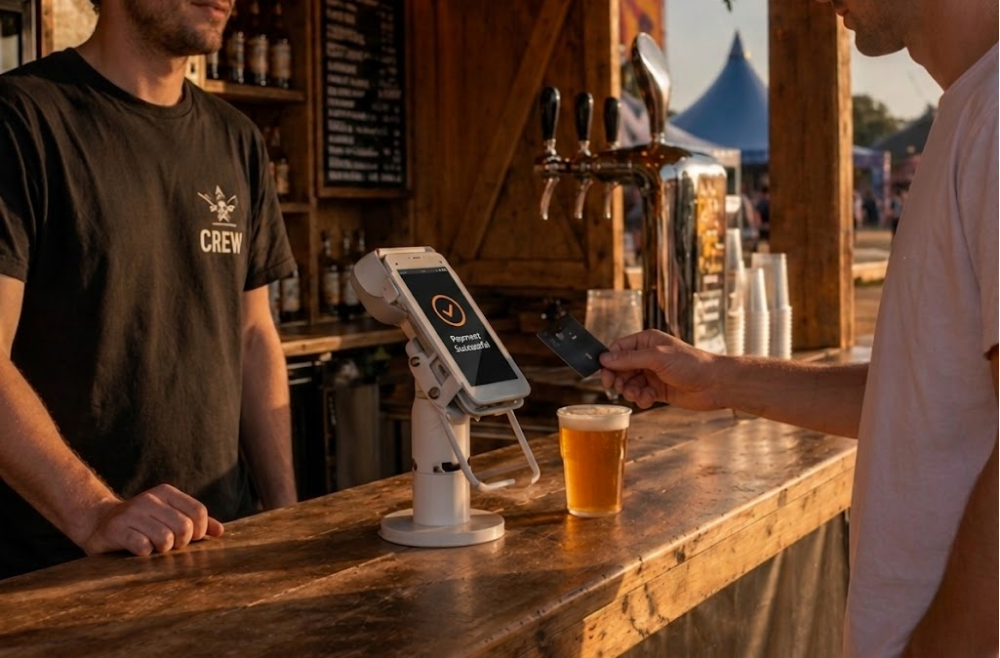
Payment terminals for fast and secure payments
Process visitor payments quickly and professionally with Jimani payment terminals. Whether payments take place at the counter, at the entrance, or at a mobile location, every transaction is processed in real time within the same central system.
Because the payment terminals are fully integrated with the POS system and ticket sales, every payment is automatically linked to the correct ticket or reservation. You don’t need to enter amounts manually, preventing discrepancies between card payments and your administration.
Tickets sold online, counter sales, and additional on-site purchases are synchronized within one environment. This gives you continuous insight into revenue, transactions, and current visitor numbers.
With Jimani, you work faster, more securely, and fully integrated without separate payment solutions or disconnected systems.
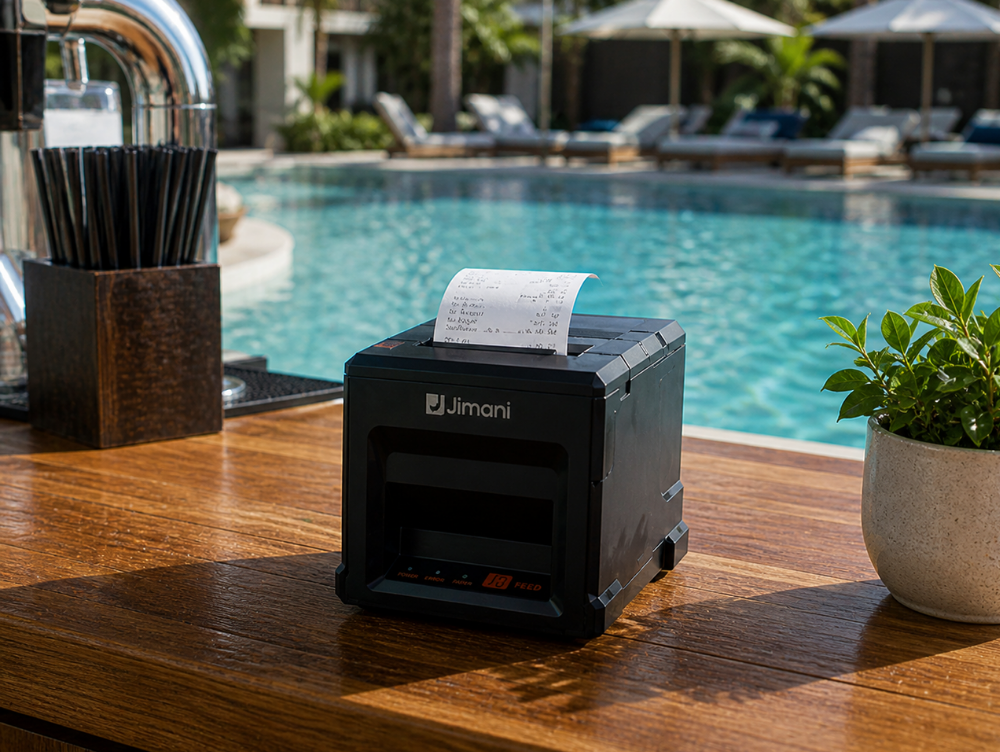
Receipt printers for tickets and invoices
With Jimani receipt printers, you can print tickets, confirmations, and transactions directly at the correct location. Whether it’s ticket sales at the counter, online reservations, or on-site check-ins, every action is automatically processed and printed in real time from the same central system.
Because the printers are fully integrated with your ticketing and POS system, each ticket is directly linked to the correct payment and visitor registration. You work without separate printing solutions or manual steps, which reduces errors and waiting times.
Whether you print entry tickets, receipts, or confirmations, everything runs in sync with your sales data and visitor numbers. This helps you maintain overview and professionalism with every issuance.
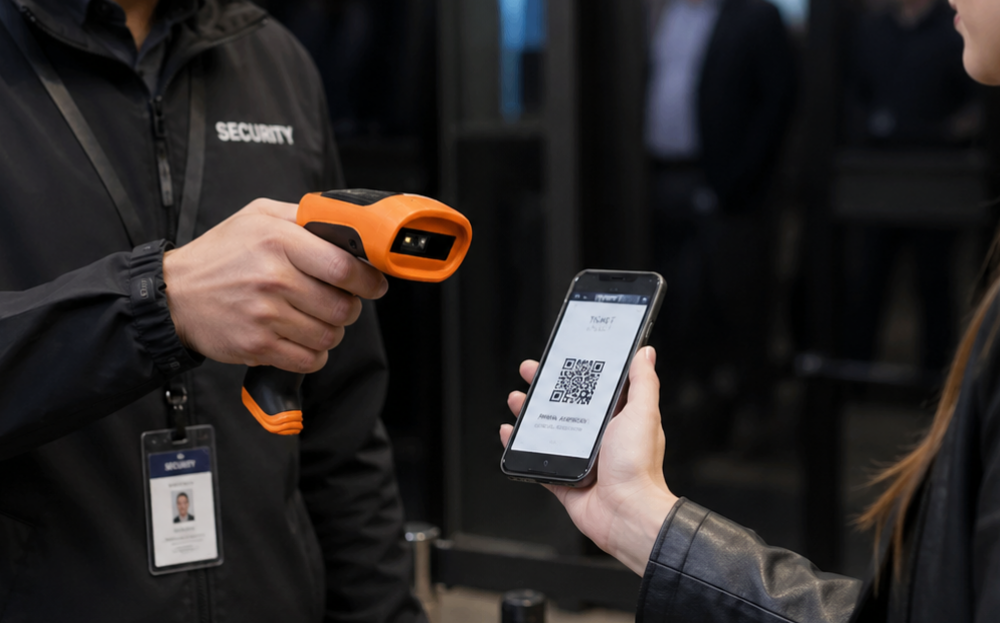
Handheld scanners for real-time ticket validation
Check tickets quickly and reliably with Jimani handheld scanners. Perfect for events, festivals, attractions, or temporary entrances where flexibility and speed are essential.
Because the handheld scanners are fully integrated with the Jimani ticketing and POS system, every scan is validated in real time. Whether visitors show their ticket digitally on their phone or bring a printed copy, the system immediately verifies its validity and automatically registers entry.
Duplicate scans, invalid tickets, or fraud are instantly detected. All data is synchronized directly with your visitor registration, giving you continuous insight into current visitor numbers and capacity.
Thanks to their wireless operation, the handheld scanners are easy to use at fixed entrances, temporary entry points, or mobile control points on location.
Super-fast installation of your ticketing POS system
With Jimani you set up your ticket sales entirely yourself, without technicians, without technical knowledge and without installation costs. All hardware is delivered with the Jimani app, so you can start selling tickets and processing visitors right away.
Plug into the power outlet, connect to the internet and you are ready to start. From ticket sales to scanning and access control, everything works together automatically in one central system.
Live with your Jimani ticketing system within 30 minutes
- Order easily through our website.
- Delivered within 1–2 business days
- Directly connected to your ticketing account
- Plug & play, ready for sales within minutes
- Start selling and scanning tickets immediately
£42,- per month + £0,09 per ticket sold
Work professionally with ticket sales through a fixed subscription.
Includes 1 POS license and a low price per ticket sold. Ideal for structural ticket sales and larger volumes. No hidden costs, fully transparent.
*After 1 year £59 per month
*All prices are excluding VAT
£0,42 per ticket sold
Start flexibly with ticket sales, without a fixed subscription.
- Sell tickets easily without a fixed monthly fee. You only pay per ticket sold and manage everything clearly in one central system. Ideal for events, activities, and temporary sales periods.
*No fixed monthly fee
*All prices exclude VAT
Blogs
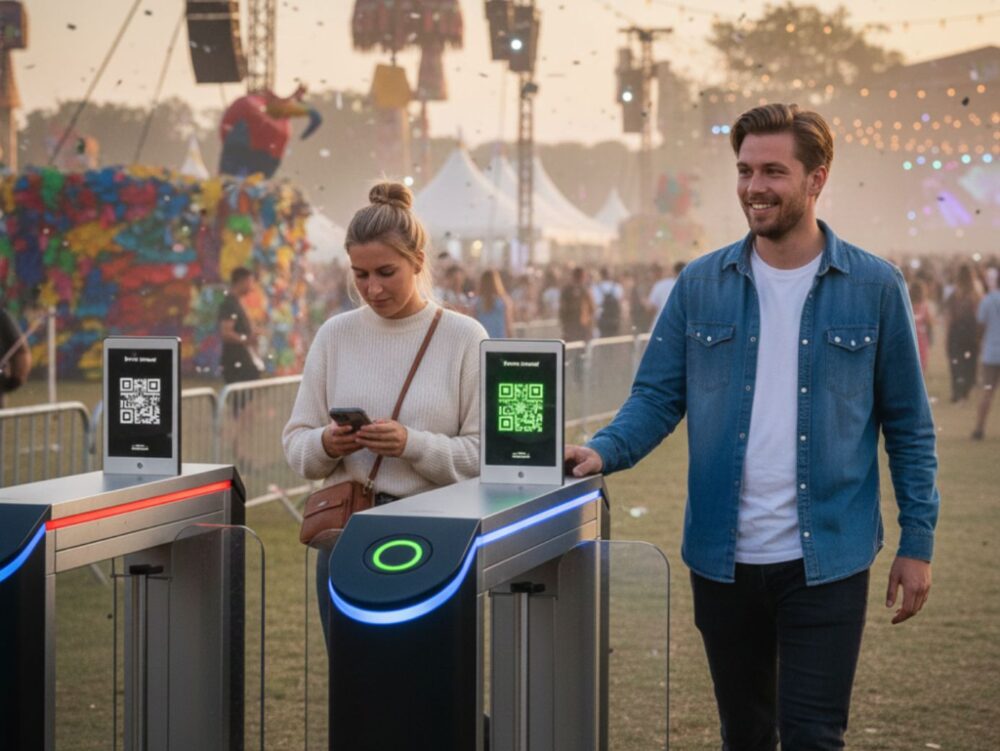
External devices in Ticket Sales
It's every organizer's nightmare: a sold-out event, a parking lot overflowing, and a line for entry that stretches around the corner. As the start time approaches, s[..]

Work More Efficiently By Connecting Your Restaurant POS System to Your Software
It's every restaurant owner's nightmare: a packed patio, a line for the POS system stretching out the door, and staff running themselves ragged but still missing ord[..]
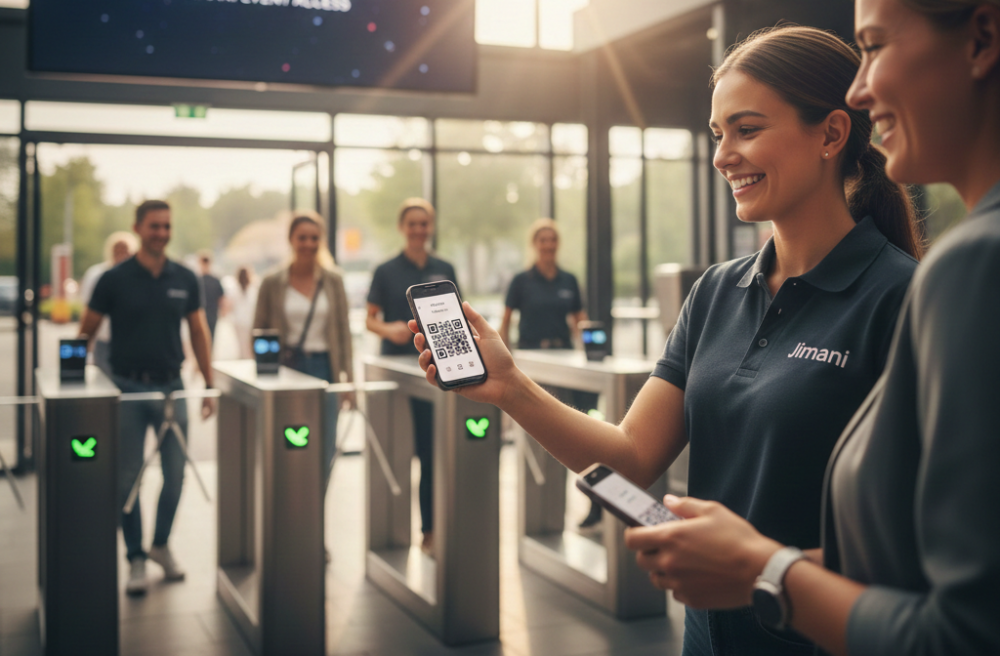
Avoid Long Queues With Scannable Tickets And Mobile Access Control
A flawless start to an event or activity is crucial for the guest experience. Nothing is more annoying for a visitor than arriving at a location and immediately bein[..]
Yes, within the Jimani POS system, you can easily use multiple payment terminals. This allows staff to process payments at different points of sale simultaneously, for example at multiple cash registers or mobile points of sale during an event.
All payment terminals are linked to the same Jimani platform. As a result, payments are automatically recorded in the central administration and linked to the correct ticket sales.
This ensures that transactions are processed in real-time and that you always have a clear overview of all payments and revenue within the system. Read more.
Yes, within the Jimani ticketing system, you can easily view the revenue per event. All ticket sales and associated payments are automatically linked to the specific event for which the ticket was sold.
In the dashboard and reports, you can then see how many tickets were sold per event and the corresponding revenue. This provides you with a clear overview of the performance of each event.
Since all sales are registered in real-time on the Jimani platform, you always have up-to-date insight into your revenue and ticket sales. This allows you to easily analyze which events are performing best.
Within the Jimani ticketing system, all payments are automatically recorded in the point-of-sale system. When a ticket is sold via the cash register, online ticket sales, or a kiosk, the payment is immediately linked to the corresponding transaction.
The system automatically records the payment amount, the payment method, and the ticket sold. This ensures that all transactions remain clearly stored within the central Jimani platform.
In addition, payments are processed in real time within the administration and reports. This ensures you always have an up-to-date overview of revenue, tickets sold, and all associated payments.
When a ticket is refunded, the refund is automatically processed within the Jimani POS system. The original transaction remains visible in the records but is clearly marked as refunded.
The system automatically records the refunded amount and adjusts the administration accordingly. This ensures that your revenue figures and reports remain accurate and organized.
In addition, the available capacity is automatically updated when a ticket is refunded. This allows the released ticket to be made available for sale again.
Within the Jimani ticketing system, customer data is automatically stored whenever someone purchases a ticket, for example via the point of sale or online. This allows you to automatically build an overview of visitors and their purchases.
In the system, you can easily view customer information such as name, contact details, purchased tickets, and previous visits. This provides insight into visitor behavior and assists in managing reservations, subscriptions, or returning guests.
All data is stored centrally within the Jimani platform. This allows you to see in a single overview which tickets have been sold, which customers have booked, and the associated transactions. This makes it easier to view reports and gain better insight into your ticket sales.
Yes, within the Jimani platform you can easily switch from the POS to the ticket screen, reservation screen, or the floor plan. This allows staff to quickly sell tickets, view reservations, or create new bookings without opening another system.
Because all functions are part of the same Jimani platform, ticket sales, reservations, and payments are automatically connected within one central environment. This keeps all transactions organized and directly visible in the POS system.
Through the floor plan, you can also easily manage locations, halls, or zones and immediately see which seats or time slots are available. Sold tickets are automatically registered and provided with a QR code, which can be scanned at the entrance for fast and controlled access. Read more.
Yes, the Jimani ticketing system is designed so you can easily install it yourself. You do not need a technician or technical knowledge. Simply connect the devices, connect them to the internet, and follow the steps in the system.
Within a few minutes your POS is ready to use. Because all hardware is directly connected to the Jimani platform, you can get started quickly without installation costs or complicated configurations. This allows you to immediately begin selling and managing tickets.
The Jimani system operates entirely online. It is therefore important that your network has a static IP address within your company. We recommend checking this with your internet provider in advance to ensure the system functions optimally. Read more.
For a basic ticketing setup, a minimum of a POS screen, receipt printer, and payment terminal is recommended. This equipment allows you to sell tickets, process payments, and register all transactions directly in the Jimani POS system.
Depending on the type of event or location, the setup can be expanded with additional hardware, such as scanning devices for ticket validation, extra POS screens, or handheld terminals. This enables faster ticket sales and more efficient event access for visitors.
As the ticketing system is fully integrated with the Jimani platform, ticket sales, payments, and access control are automatically synchronized. This ensures you always have real-time insight into tickets sold and the available capacity of your event. Read more.
When a ticket is refunded, the refund is automatically processed within the Jimani POS system. The original transaction remains visible in the records but is clearly marked as refunded.
The system automatically records the refunded amount and adjusts the administration accordingly. This ensures that your revenue figures and reports remain accurate and organized.
In addition, the available capacity is automatically updated when a ticket is refunded. This allows the released ticket to be made available for sale again.
Sí, dentro del sistema de ticketing de Jimani puedes crear fácilmente diferentes tipos de entradas. Por ejemplo, entradas estándar, entradas para niños, entradas VIP, entradas de grupo o entradas con acceso especial.
Per tickettype kun je eigen prijzen, voorwaarden en beschikbaarheid instellen. Hierdoor kun je flexibel inspelen op verschillende doelgroepen of soorten evenementen.
Para cada tipo de entrada puedes establecer tus propios precios, condiciones y disponibilidad. Esto te permite adaptarte con flexibilidad a diferentes públicos o tipos de eventos.
Within the Jimani ticketing system, capacity is automatically updated as soon as a ticket is sold, both online and at the point of sale. The system tracks in real time how many tickets are available and how many spots have already been sold.
When a visitor purchases a ticket, it is processed immediately within the central platform. As a result, the available capacity is automatically adjusted, and staff at the ticket desk always see the current overview.
This prevents more tickets from being sold than are available. This ensures you always maintain control over the maximum number of visitors and that ticket sales remain clear and well-managed within a single system.
Yes, within the Jimani platform, you can easily combine ticket sales with other POS functions within one central system. This allows you to register other sales alongside tickets, such as products, services, or additional options, through the same point of sale.
All transactions are automatically processed within the same administration. Consequently, payments, tickets, and other sales remain clearly linked within a single platform.
Because everything operates within the same system, you avoid having to work with multiple separate systems. This ensures a more efficient workflow and provides you with real-time insight into all sales and transactions. Read more.
Within the Jimani ticketing system, tickets are automatically linked to the POS system. When a ticket is sold online or purchased at the door, it is immediately registered in the central Jimani platform.
As a result, all sales are automatically processed in the same POS environment as your payments and administration. You can immediately see which tickets have been sold, how many spots are still available, and through which sales channel the tickets were sold.
In addition, tickets can easily be scanned at the entrance of an event. The system automatically checks whether the ticket is valid and registers the entry. This keeps ticket sales, access control, and administration clear and centrally managed within one system.
The Jimani POS system is part of a single integrated platform where reservations, orders, payments, and customer data converge. This means you do not work with different systems or external integrations, but with one central environment where all data is immediately available.
With the Jimani POS system, you can not only sell tickets but also easily process other transactions within the same system. For example, you can register bar orders, manage table reservations, and sell or rent parking tickets without having to work with multiple separate systems. This ensures that all administration remains clear and centrally managed.
All hardware, such as POS screens, kiosks, kitchen displays, payment terminals, receipt printers, and handheld terminals, is directly linked to the Jimani platform. As a result, orders and transactions are automatically connected to, for instance, a QR code, customer account, or reservation number. This provides you with real-time insight into your sales, visitors, and guest data. Read more.
Yes, within the Jimani ticketing system, you can use multiple points of sale during an event. This includes, for example, various cash registers at the entrance, additional points of sale on the grounds, or mobile points of sale with handheld terminals.
All points of sale are connected to the same Jimani platform. As a result, all ticket sales and payments are automatically registered in the same administration.
The system tracks in real time how many tickets have been sold and how much capacity is still available. This prevents double sales and ensures you always maintain a clear overview of total ticket sales during the event. Read more.
The cost of hardware depends on the devices you need for your ticket sales, such as POS screens, payment terminals, ticket scanners, receipt printers, or kiosks. This hardware can easily be ordered through the Jimani webshop, ensuring all devices are directly compatible with the Jimani platform.
The Jimani ticketing system itself is available in two models. For ongoing ticket sales, you can choose a subscription starting at €49 per month + €0.10 per ticket sold, including one POS license and access to the full ticketing system. This model is especially suitable for locations that sell tickets regularly and handle larger volumes.
There is also a flexible model without a fixed subscription. In that case, you pay €0.49 per ticket sold, with no monthly fee. This is ideal for events, activities, or temporary ticket sales.
Hardware such as scanners, POS screens, kiosks, or handheld terminals can easily be added as your organization grows. This allows you to flexibly expand your ticket sales setup with the hardware and features you need. Read more.
Yes, within the Jimani platform, QR tickets are automatically linked to the POS system. When a ticket is sold—for example, online or via door sales—it is immediately registered in the same POS environment where payments and other transactions are processed.
Each ticket automatically receives a unique QR code linked to the sale in the POS system. This ensures that payments, ticket information, and visitor data are stored centrally within a single system.
When a visitor arrives, the ticket can be easily scanned using a scanner or handheld device. The system immediately verifies the validity of the ticket and automatically registers the entry. This keeps ticket sales, access control, and administration clear and fully integrated within one platform. Read more.
Within the Jimani ticketing system, each ticket is assigned a QR code that is directly linked to the central platform. When a ticket is scanned at the entrance, the system automatically verifies whether the ticket is valid and if it has been used previously.
As soon as a ticket is successfully scanned, it is immediately registered in the system. The system also checks how often and within what timeframe a ticket may be scanned again.
Within Jimani, you can configure how often and within what timeframe a ticket may be scanned again. This is particularly useful for locations such as indoor playgrounds, swimming pools, or parks where visitors with a day or week pass may enter and exit multiple times. For example, you can set a ticket to be scannable again after 10 minutes, allowing visitors to re-enter after leaving the premises.
In addition, all scans are registered in the dashboard in real time. This provides organizers with constant insight into the number of visitors who have already entered and allows for easy monitoring of the entry process. Read more.
Yes, within the Jimani ticketing system, tickets are automatically provided with a unique QR code. When a ticket is sold online or created at the point of sale, the system automatically generates a QR code that is linked to the ticket.
This QR code can be easily scanned at the event entrance using a scanner or handheld device. The system immediately verifies the ticket’s validity and records the entry in the Jimani platform.
This makes the entry process faster and more efficient, preventing tickets from being used multiple times. Furthermore, you maintain real-time insight into how many visitors have already entered and how many tickets remain outstanding. Read more.
Yes, within the Jimani ticketing system, you can use multiple scanning devices simultaneously. This allows tickets to be scanned quickly and efficiently at different entrances or checkpoints.
All scanning devices are linked to the same Jimani platform. When a ticket is scanned, the system immediately verifies its validity and registers the entry in real time.
This prevents a ticket from being used multiple times and ensures you always have an up-to-date overview of the number of visitors who have already entered. Read more.
Within the Jimani ticketing system, online ticket sales and box office sales are automatically processed within the same central platform. As a result, tickets sold online and tickets sold at the box office are immediately registered in the same administration.
The system tracks in real-time how many tickets have been sold and how much capacity remains available. When a ticket is sold online, it is immediately updated in the system, ensuring that box office staff always see the current overview.
This prevents double sales and ensures you always have insight into total ticket sales, regardless of whether tickets were sold online or at the box office. Read more.
Yes, within the Jimani platform, orders placed via a kiosk can be automatically forwarded to the kitchen. For example, when a visitor orders food or drinks via a kiosk, the order is immediately registered in the POS system and automatically sent to the appropriate receipt printer or kitchen display system (KDS).
This eliminates the need for staff to enter the order manually and allows the kitchen to begin preparation immediately. This accelerates the ordering process and reduces the likelihood of errors.
This is particularly useful at locations such as swimming pools, zoos, indoor play centers, event venues, or sports stadiums, where visitors can order food and drinks in addition to tickets. This ensures that ticket sales, catering orders, and payments remain clearly linked within one central Jimani system.
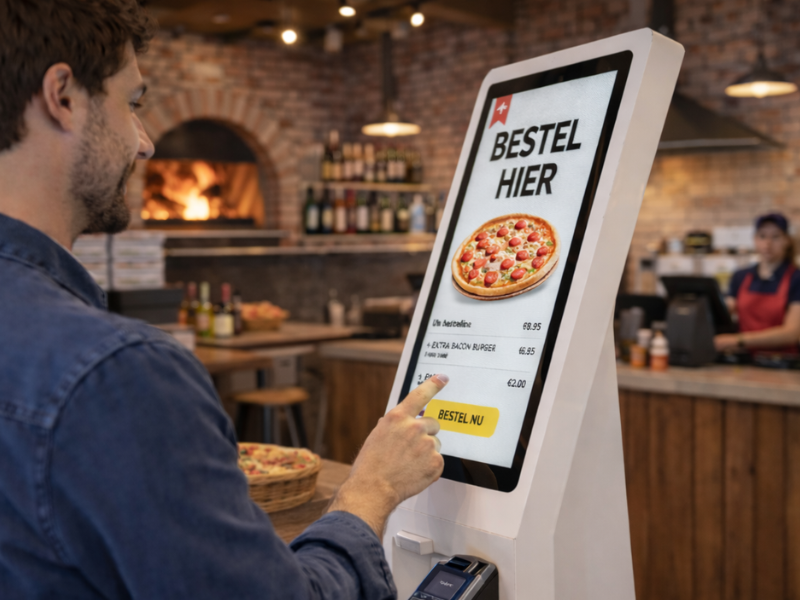
Yes, within the Jimani platform, multiple kiosks or self-service terminals can be linked to a single point-of-sale (POS) system. All kiosks operate within the same central environment and automatically forward sales to the POS.
When a visitor purchases a ticket via a kiosk, the payment is immediately registered in the POS system and linked to the corresponding sale. This ensures that all transactions remain clearly organized within a single administrative system.
This is particularly useful for high-traffic locations, such as swimming pools, zoos, museums, events, sporting matches, indoor play centers, or festivals. By installing multiple kiosks, visitors can purchase tickets independently more efficiently, while all sales are processed centrally within the Jimani system.
Furthermore, ticket sales, payments, and access control remain synchronized in real-time, providing continuous insight into current revenue and the number of tickets sold. Read more.
When visitors purchase tickets via a kiosk or self-service terminal, these purchases are automatically recorded in the Jimani POS system. Sales are directly linked to the central platform, ensuring that payments, tickets, and administration are processed in real time within the same point-of-sale environment.
After purchase, the ticket is automatically generated and provided with a unique QR code. This can be scanned immediately at the entrance for access control, ensuring a fast and well-organized entry process.
Kiosks are particularly useful at locations where many visitors purchase tickets independently, such as swimming pools and water parks, zoos, museums, events, sports matches, indoor arcades, or workshops and seminars. Visitors can easily select a ticket, pay, and gain immediate access, while all sales are automatically processed within the Jimani POS system.
This ensures that ticket sales, payments, and access control remain centrally managed within one clear platform. Read more.
Yes, within the Jimani ticketing system, you can easily combine door sales with online ticket sales. Tickets sold online and tickets sold at the door are automatically registered within the same system.
This ensures you always have real-time insight into the number of tickets sold and the available capacity for an event. When a ticket is sold online, it is immediately updated in the system, preventing double sales at the door.
In addition, all payments and ticket data are stored centrally within the Jimani platform. This allows you to maintain a clear overview of your ticket sales and administration for both online and door sales. Read more.
Customers about Jimani
Smooth Restaurant Management
At Jongleert Restaurant, part of the Scalda school group, we are very pleased to use Jimani. This system enables us to m[..] Read more
Smooth Restaurant Management
At Jongleert Restaurant, part of the Scalda school group, we are very pleased to use Jimani. This system enables us to manage reservations for our student-run restaurants quickly and easily. Thanks to Jimani, the reservation process runs smoothly and efficiently.

Incredibly Useful Program
Jimani is an incredibly useful program because it can combine both activity and table reservations into one. They collab[..] Read more
Incredibly Useful Program
Jimani is an incredibly useful program because it can combine both activity and table reservations into one. They collaborate with you and are very flexible. This, combined with a well-organized program, makes us very satisfied!

Great for Padel Courts
Jimani is an excellent system for booking padel courts, tennis courts, and children’s parties. It offers the conve[..] Read more
Great for Padel Courts
Jimani is an excellent system for booking padel courts, tennis courts, and children’s parties. It offers the convenient option of combining both the sporting activity and, for example, a table in one reservation. In addition, the team is very flexible and happy to help you. That ensures that we are satisfied!

Very User-Friendly
Jimani is a clear and user-friendly reservation system that can easily be adjusted to your own preferences. When we want[..] Read more
Very User-Friendly
Jimani is a clear and user-friendly reservation system that can easily be adjusted to your own preferences. When we want to add something new, they provide expert advice!

Perfectly Matches Our Offerings
We use Jimani because it fully aligns with our offerings. It is also clear that it was developed by people from the hosp[..] Read more
Perfectly Matches Our Offerings
We use Jimani because it fully aligns with our offerings. It is also clear that it was developed by people from the hospitality industry. It’s easy to make and adjust a reservation, and in the end, you have a clear overview! Adjustments in the system itself are also resolved quickly and carefully, which is ideal!
