


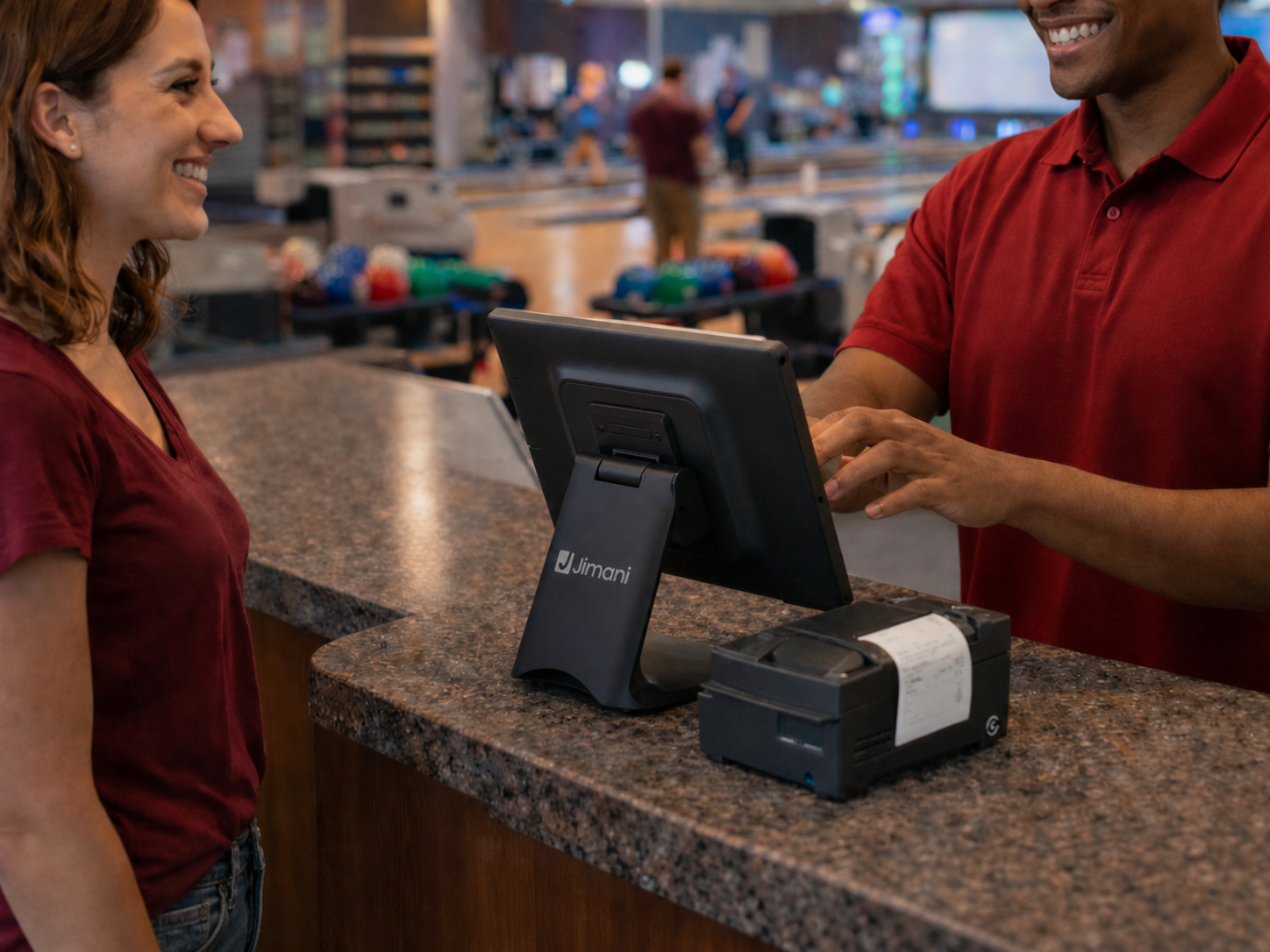
All-in-one POS system for activities & recreation rentals
Manage courts, rental equipment, reservations, and hospitality from one central system.
POS system for activities and rentals
Many leisure and activity locations still work with separate software for reservations, planning, hospitality, and administration. Lanes and rooms are managed in one system, hospitality purchases in another, and payments somewhere else. This leads to fragmentation, extra work, and a higher chance of errors or double bookings.
The Jimani POS system for activities and rentals is built with reservations as its foundation. Time slots, capacity, and scheduling are directly integrated into the same POS system, including hospitality. Whether it’s a bowling lane, padel court, bike rental, or room booking, everything runs within one central platform.
When a guest books an activity online or at the front desk, it automatically appears in both the schedule and the POS system. During the activity you can easily add drinks, food, or complete packages to the same reservation. Everything is linked in real time to the correct booking and processed directly in the POS system for leisure and rentals.
When a guest books an activity online or at the front desk, it automatically appears in both the schedule and the POS system. During the activity you can easily add drinks, food, or complete packages to the same reservation. Everything is linked in real time to the correct booking and processed directly in the POS system for leisure and rentals.
With the Jimani POS system for activities and leisure, you work from one integrated system where reservations, scheduling, hospitality, and payments come together. Fewer manual actions, more overview, and maximum control over every guest and every minute you sell.
With the Jimani activity module, you have a complete reservation and POS system in one.
You receive 1 POS license and can easily manage bookings, payments, and availability.
The webshop is included. No hidden costs, fully transparent.







View our POS solutions
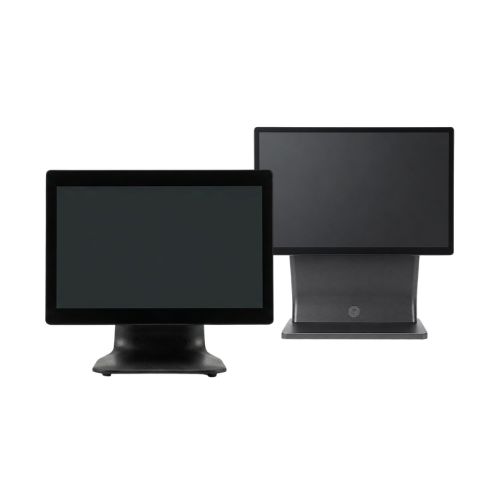
POS systems
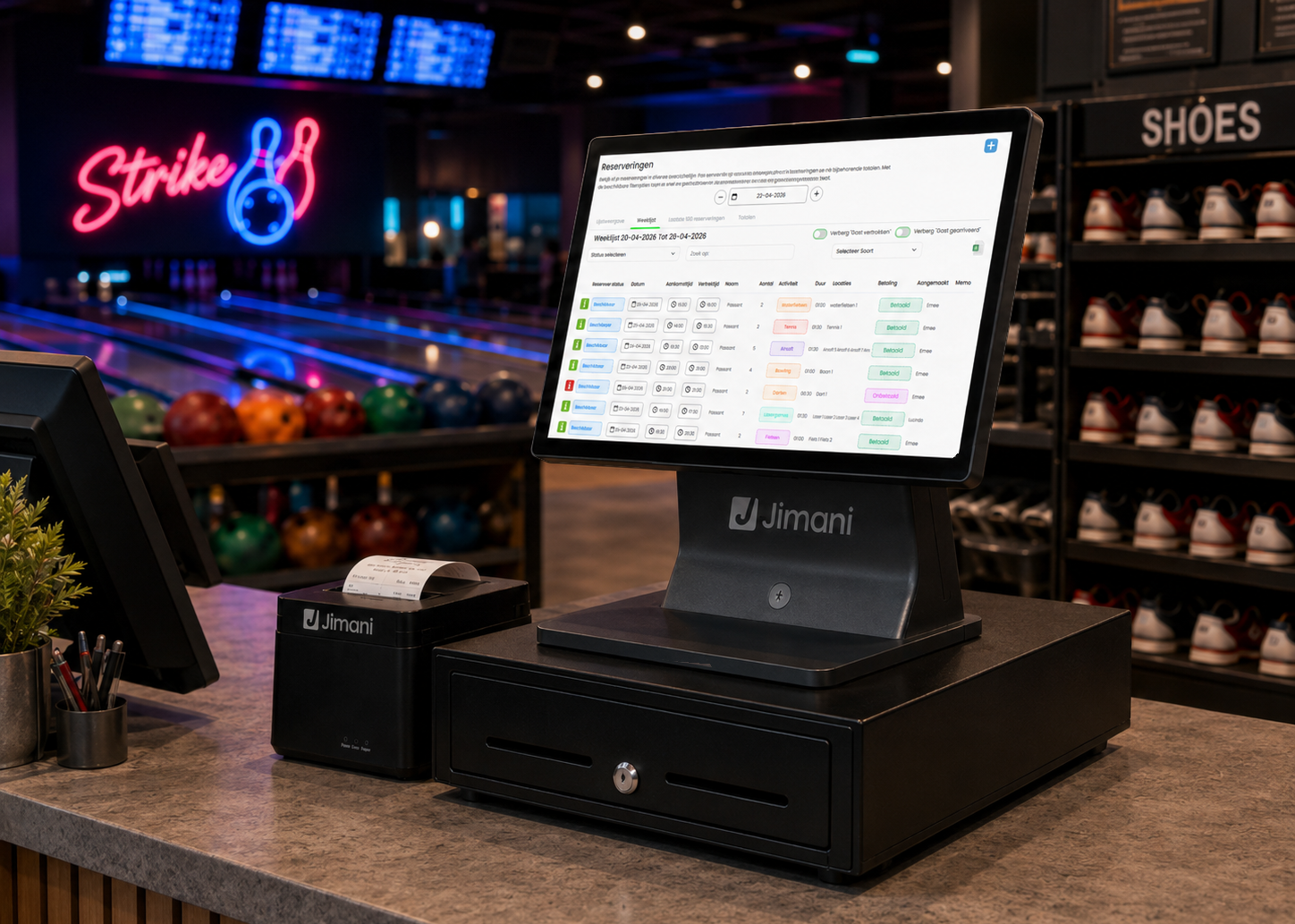
Manage reservations, equipment handovers, returns, and payments easily from one central POS system that records everything in real time.
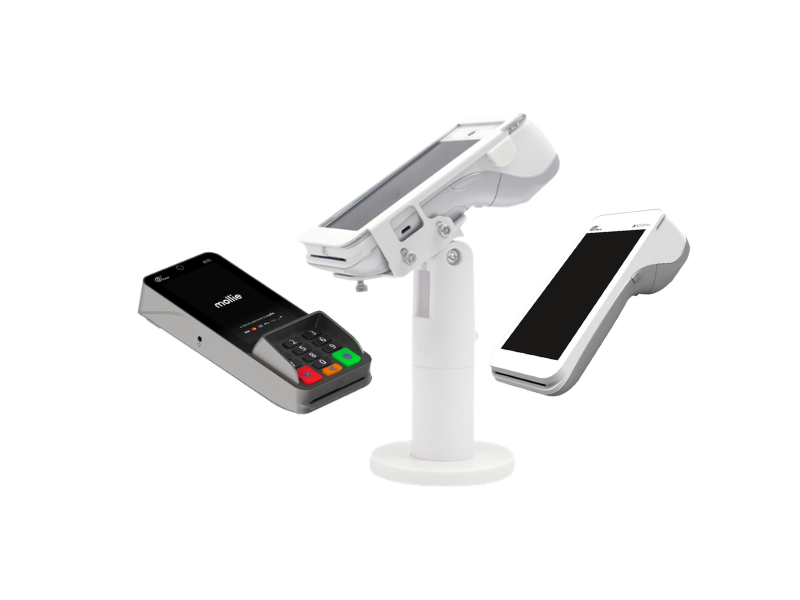
PIN terminals
Let customers pay quickly and securely during pickup, extensions, or returns, fully integrated with your POS system.
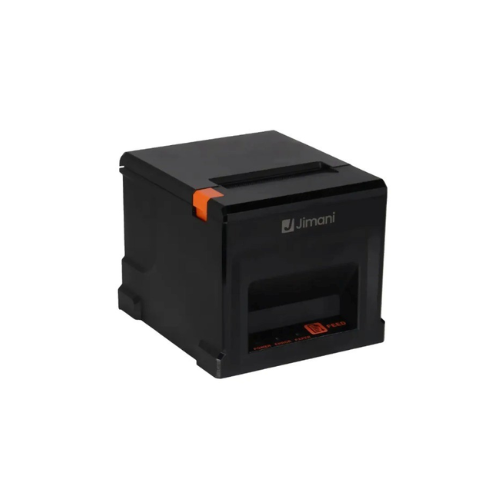
Receipt printers
Print rental contracts, confirmations, and receipts directly at the right location for a smooth and professional process.
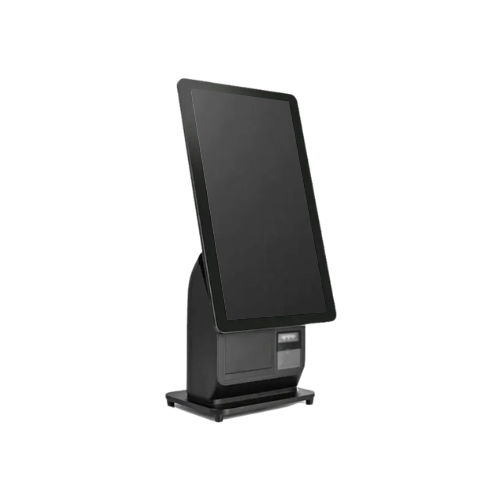
Kiosks and self-service ordering stations.
Let customers reserve, place orders, and pay via self-service kiosks, reducing waiting times and increasing convenience.
Discover the possibilities

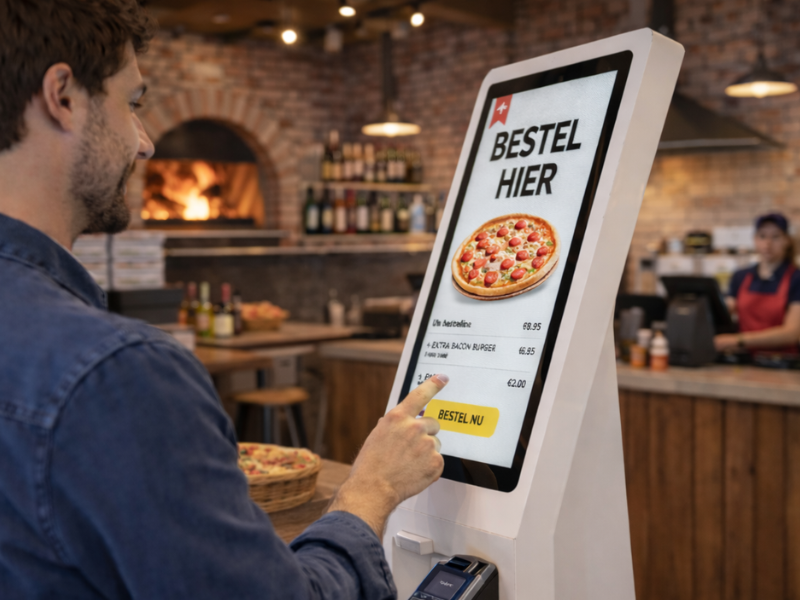


View POS solutions for tickets and events
Reservations, scheduling, and payments in one central system
Manage your entire rental process from one POS system for rentals and activities where reservations form the foundation. From booking to check-out and from return to payment, everything is processed in real time within the same platform.
When a customer reserves online or rents something on-site, it is immediately linked to availability, scheduling, and the POS. Extensions, deposits, and additional sales can easily be registered within the same environment of the rental POS system
Because the scheduling and POS system are fully integrated, you always have real-time insight into available items, active rental periods, and revenue. No separate lists, no disconnected systems, and no manual corrections afterward.
This way you work more efficiently, prevent errors, and offer customers a smooth and professional rental process.
With Jimani, you combine rentals, scheduling, and payments in one integrated POS system for rentals and recreation that grows with your business.
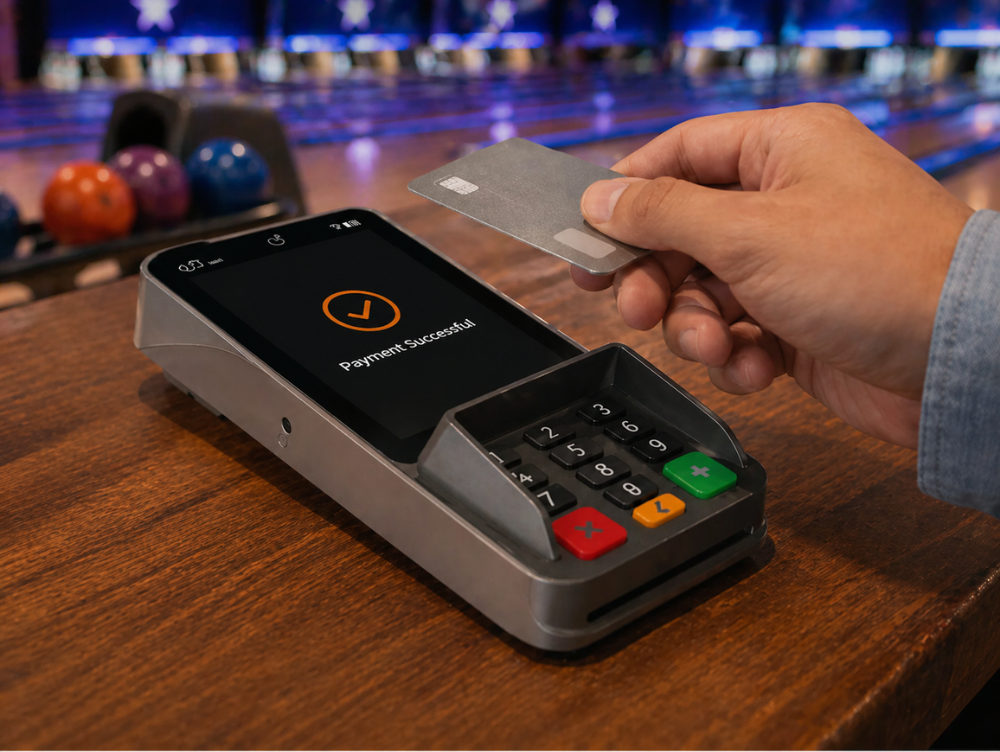
Payment terminals for fast and flexible payments
Allow customers to pay easily and securely upon reservation, pickup, or return. With Jimani payment terminals, you process payments in real time, directly linked to your POS system and reservations.
Whether it concerns deposits, security bonds, rental costs, or additional products, everything is automatically registered and synchronized. This prevents errors, speeds up your workflow, and ensures you always have an overview of your transactions.
Ideal for counters, mobile pickup points, or locations where you want flexible payment options.
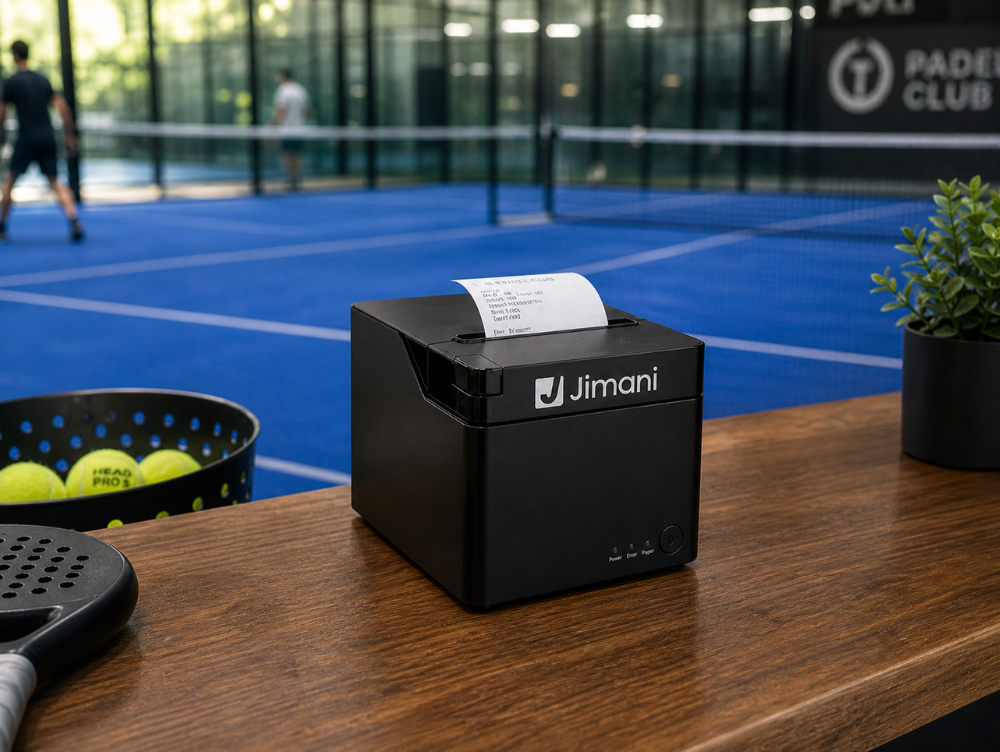
Receipt printers for orders and invoices
Print reservation confirmations and sales directly from your POS system. All documents are automatically linked to the correct reservation and booking.
Whether customers are picking up, extending, or returning equipment, you always have clear and professional documentation at your disposal. This prevents misunderstandings and ensures a structured and efficient workflow.
Ideal for counters, warehouses, and distribution points where speed and oversight are essential.
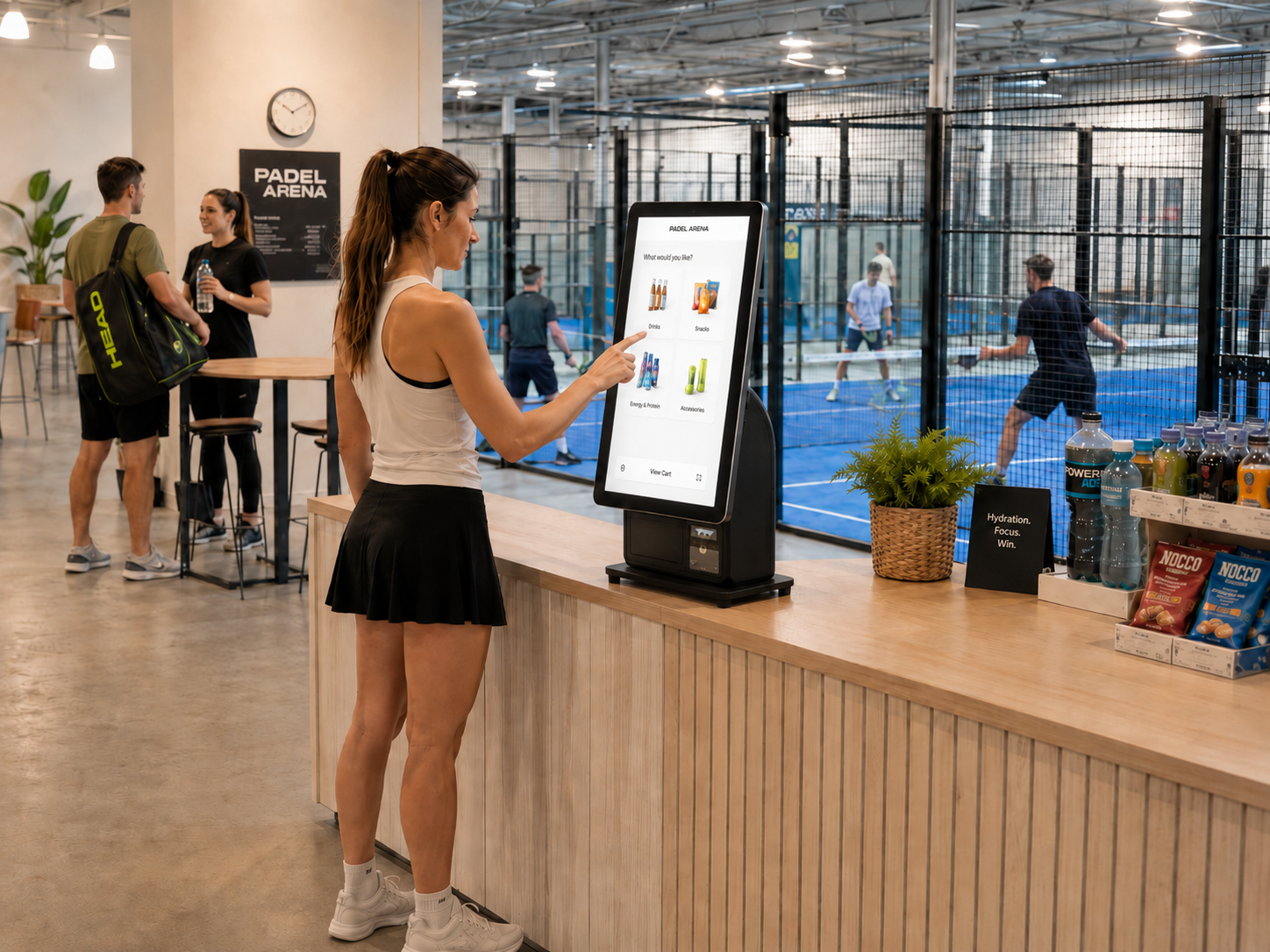
Self-service kiosks for fast issuance and returns
With self-service kiosks, you manage activity bookings faster and more efficiently, without queues at the counter. Customers can pick up reservations, register products, and complete payments themselves.
Everything is automatically linked to your POS system and reservation platform. This gives you a real-time overview of issuance, returns, and payments, while your staff can focus on providing service.
Up and running with your Jimani POS system in no time
- Order easily via our website
- Delivered within 1–2 business days
- Directly linked to your Jimani account
- Plug & play, ready to use within 30 minutes
Install your rental and reservation system yourself in minutes
With Jimani, you install everything yourself, without technicians, technical knowledge, or installation costs. Whether you work with reservations, issuance, returns, or deposit payments, everything is immediately ready for use.
Plug it in, connect the device to the internet, and follow the steps. Within minutes, you will be working with a complete professional system that automatically processes reservations, payments, and rentals. Reliable, clear, and hassle-free.
Add-ons & extensions
Optionally expandable with:
- Additional POS license: €15 per month
No monthly fee
Complete activity reservation system including POS license, without a monthly fee.
With the activity module, you have a complete reservation and POS system for bookings, payments, and administration in one central environment.
You receive 1 POS license and the webshop is included.
No hidden costs, fully transparent.
- At the start you pay a one-time €279 onboarding fee (excl. VAT); in return we set everything up together with you.
*All prices are exclusive of VAT.
Blogs
External devices in the Rental Software
It is every leisure entrepreneur's nightmare: a full parking lot, a line at the counter that extends outside, and staff running themselves ragged to provide everyone[..]

Effectively Using Booking Widgets for Increased Website Conversion
In today's digital world, a seamless online experience is crucial. For recreation parks, hotels, and holiday parks, this means not only a beautiful website but also [..]

Boost your sales with flexible menu options and irresistible combo deals
Consumers love two things: convenience and the feeling that they have scored a good deal. In an online food shop, this often translates into combo deals and menu opt[..]
Yes, within the Jimani system, you can set different deposit amounts per rental product. This allows you to determine the applicable deposit amount for each product, depending on its value or type.
When a customer rents a product, the corresponding deposit amount is automatically added to the rental order and registered in the point-of-sale system. This makes it immediately clear which amount has been paid as a deposit.
The deposit can easily be refunded or settled via the point-of-sale system after the rental period. All deposit payments are automatically recorded in the administration, ensuring you always have a clear overview of paid and refunded deposit amounts. Read more.
Within the Jimani system, you can easily switch between various functions, such as activities, product sales, and individual payments. From the point-of-sale screen, an employee can directly open a reservation, add a product, or process a payment without the need for another system.
For example: when a customer reserves a bowling lane, books a tennis or padel court, plays an escape room, or rents a bicycle, the employee can directly add extra products during checkout, such as drinks, snacks, or additional rental equipment.
For other activities such as laser tag, paintball, water activities, pool and snooker rooms, venue rentals, or personal training sessions, extra products or services can also be easily added to the same bill.
In addition, individual payments can be processed via the register, for example, when a customer only purchases a drink, snack, or other products without reserving an activity.
Because all functions are part of the same Jimani platform, reservations, rental orders, product sales, and payments remain automatically linked within one central administration. This ensures you always maintain a clear overview of all transactions. Read more.
When a customer makes a payment via a QR code, the payment is automatically registered in the Jimani POS system. The payment is immediately linked to the corresponding rental, activity or transaction.
The system automatically records the paid amount and the payment method. This ensures that the payment is processed directly in the administration and reports within the Jimani platform.
Because all payments are updated in real time, you always have a clear overview of rentals, activities and payments within one central administration. Read more.
Within the Jimani system, you can easily work with deposits for activities or rental reservations. When a customer makes a reservation, a deposit can be registered directly in the system.
This deposit is automatically linked to the booking and stored in the records. When the customer pays the remaining balance, the deposit is automatically deducted from the total amount of the activity or rental.
This keeps the administration organized and prevents payments from being processed twice. Furthermore, you always have a clear overview of outstanding balances and already paid deposits within the Jimani platform. Read more.
Yes, within the Jimani POS system, you can easily use multiple payment terminals. This is convenient when you have multiple points of sale or when employees need to process payments at different locations.
Each card terminal can be linked to a specific POS screen, sales point, or distribution point. This allows payments to be processed quickly and clearly, for example, for reservations, rental orders, or direct payments at the checkout.
All transactions are automatically registered in the central Jimani platform. This ensures you always maintain a clear overview of all payments, regardless of which terminal was used for the transaction. Read more.
Yes, the Jimani POS system is designed so that you can easily install it yourself. You do not need a technician or technical knowledge. You simply plug in the devices, connect them to the internet, and follow the steps in the system.
Your POS system will be ready for use within minutes. Because all hardware works directly with the Jimani platform, you can start quickly without installation costs or complicated configurations.
Make sure there is a stable internet connection at the location. Read more.
For a basic point-of-sale setup within the Jimani rental & activities module, a POS screen, a payment terminal, and a receipt printer are recommended at minimum. With this equipment, you can register reservations, process rental orders, and handle payments directly through the Jimani POS system.
The POS screen serves as the central hub where employees open reservations, manage rental orders, and process transactions. The payment terminal allows for the acceptance of debit cards, credit cards, or contactless payment methods. A receipt printer ensures that customers immediately receive a receipt or confirmation of their booking or rental transaction. Modern POS systems combine this hardware to process transactions quickly and efficiently.
Depending on how you wish to organize your activities or rental process, you can expand the system with additional hardware such as scanners, distribution screens, kiosks, or extra POS screens. This allows you to easily adapt the system to the size and workflow of your organization. Read more.
Yes, within the Jimani system, multiple kiosks can be linked to a single POS system. This allows customers to reserve activities or purchase products via a kiosk at various locations.
Furthermore, kiosks can be configured individually. This means that one kiosk can be used for booking activities or rentals, while another kiosk is used for selling products or additional services.
All kiosks are connected to the same Jimani platform. Consequently, bookings, orders, and payments are automatically recorded in the central POS and administration.
Since all transactions are processed in real-time, you maintain a clear overview of activities, rental orders, product sales, and payments within a single system. Read more.
When a customer places a booking or order via a kiosk, it is automatically registered in the Jimani POS system. Through the kiosk, customers can, for example, reserve an activity or purchase products directly, without the intervention of an employee.
The reservation or order is automatically linked to the central Jimani platform. Payments made via the kiosk are processed immediately and linked to the corresponding activity, rental order, or purchase. This ensures that all transactions remain clearly stored in the administration.
Additionally, bookings or orders made via a kiosk can be opened directly in the POS system. This allows employees to easily see which activities have been booked or which products have been sold or issued, ensuring everything can be processed quickly and efficiently. Read more.
Yes, within the Jimani system, you can use multiple QR scanning points. This allows QR codes to be scanned at various locations, such as at the distribution point, at the entrance of an activity, or when returning rented materials.
All scanning points are linked to the same Jimani platform. When a QR code is scanned, the corresponding reservation or rental agreement is opened immediately in the system.
This ensures that activities, rental orders, and payments remain clearly registered within one central administration, allowing the distribution and return process to proceed more quickly and efficiently. Read more.
The Jimani POS system is part of a single integrated platform where reservations, orders, payments, and customer data converge. This means you do not work with different systems or external integrations, but with one central environment where all data is immediately available.
With the Jimani system, you can easily register additional sales alongside reservations and payments, such as restaurant orders, drinks, food, or other supplementary products and services. This allows you, for example, to add orders directly to the same bill during a visit, eliminating the need to work with multiple systems.
All hardware, including POS screens, kiosks, kitchen displays, payment terminals, receipt printers, and handheld terminals, is directly linked to the Jimani platform. As a result, orders are automatically associated with, for instance, a QR code, customer account, or table and reservation number, providing you with real-time insight into your sales and guest data. Read more.
Within the Jimani system, availability is automatically updated as soon as a reservation is created. When a customer books an activity or reserves a rental product, it is immediately registered in the system.
The system then automatically blocks the reserved time, location or rental product. This prevents the same availability from being booked again by other customers.
Because all reservations are processed in real time within the Jimani platform, employees always have an up-to-date overview of available activities, materials and time slots. This prevents double bookings and keeps the schedule clear and organized.
If the internet goes down, the Jimani POS keeps working. You check out with cash or “Other payment” (for example on a separate card terminal), the customer receipt is printed and the order is sent automatically as soon as the connection is back. Card payments via Mollie, Tap to Pay and gift cards only work again once there is internet.
In practice, however, this rarely occurs, as stable internet is now the standard for hospitality businesses in Europe. To prevent any potential interruptions, we always advise ensuring a reliable internet connection within your establishment.
If there is still no connection for a while, you can also look up today’s receipts of that register offline and print them again. No orders are lost.
Yes, within the Jimani system you can easily manage multiple rental and activity locations from one central platform. This allows you to clearly manage reservations, rentals and payments from different locations within the same environment.
Through the dashboard you can view insights per location, such as bookings, availability and revenue. This makes it easy to see which location is performing well and where adjustments may be needed.
In addition, you can use location-specific settings, such as available activities, materials, opening hours or staff. This gives you flexibility per location while all data remains centrally managed within the Jimani platform.
Within the Jimani system, customer data is automatically stored whenever a customer makes a reservation or places a rental order. This enables you to automatically build an overview of customers and their previous bookings.
In the customer profile, you can easily view information such as contact details, reservations made, previous rental orders, and associated payments. This provides employees with immediate insight into a customer’s history.
All data is stored centrally within the Jimani platform. This allows you to quickly review which activities or rental products a customer has previously booked and maintains a clear overview of all transactions and customer information.
Yes, within the Jimani system, you can easily switch from the checkout screen to the rental or reservation screen and the floor plan. This allows employees to quickly view reservations, open rental orders, or create new bookings without having to open another system.
Because all functions are part of the same Jimani platform, reservations, rental orders, and payments are automatically linked within one central environment. This ensures everything remains organized and directly visible in the POS system.
Via the floor plan, you can also easily manage locations, rooms, or equipment and immediately see what is available and what has already been reserved. This allows employees to switch quickly between reservations, issuance, and payments within a single system. Read more.
Yes, within the Jimani system, you can easily combine rentals with other POS functions within one central system. This allows you to register activities, products, or additional services via the same POS, in addition to rental orders.
All transactions are automatically processed within the same administration. This ensures that rental orders, bookings, and payments remain clearly linked within a single platform.
Because everything operates within the same system, you avoid the need to work with multiple separate systems. This ensures a more efficient workflow and provides real-time insight into all transactions and revenue. Read more.
Hardware costs depend on the devices required for your rental or activity business, such as POS screens, payment terminals, scanners, receipt printers, or display screens. This hardware can be easily ordered through the Jimani webshop, ensuring all devices are immediately compatible with the Jimani platform.
The Jimani activities and rental system itself has no monthly fee: the first register and the full reservation and POS system are free. When you start, you pay a one-off onboarding fee of €279. This lets you manage bookings, payments and administration within one central environment.
If you want to use multiple registers, you pay €15 per month per additional register. In addition, a fixed list of extra features costs €5 to €29 per month, such as a kitchen display (KDS) or a handheld (each €5 per month per device).
Hardware such as scanners, display screens, POS terminals, or payment terminals can be easily added as your organization grows. This enables you to flexibly expand your rental and activity management with the hardware and functions you require.
All prices exclude VAT. Read more.
Within the Jimani system, a QR code can automatically be linked to a rental agreement. When a rental is created, the system generates a unique QR code that is connected to the corresponding reservation.
This QR code can be used, for example, when picking up or returning a rented product. By scanning the QR code, an employee can immediately open the correct rental agreement in the system.
This makes the process of issuing and returning rented products faster and more organized. In addition, all rentals, payments and customer data remain automatically linked within the Jimani platform. Read more.
Yes, within the Jimani system, you can easily link security deposit payments to an activity or rental order. When a customer books an activity or rents a product, a deposit amount can be added directly to the reservation.
This deposit is automatically recorded in the POS system and linked to the corresponding booking. This ensures it remains clearly visible which amount was paid as a deposit and which activity or rental order it belongs to.
Once the activity is completed or the rented product is returned, the deposit can easily be refunded or settled via the cash register. This keeps the administration organized and ensures all payments are correctly registered within the Jimani platform.
Within the Jimani system, activities are automatically linked to the POS system. When a customer books an activity, it is immediately registered in the central Jimani platform.
The employee can easily open the activity via the POS and process the payment immediately. The payment is automatically linked to the booked activity and saved in the records.
This ensures that activities, bookings, and payments remain clearly linked within a single system. This results in transparent administration and real-time insight into activities, bookings, and revenue. Read more.
Customers about Jimani
Smooth Restaurant Management
At Jongleert Restaurant, part of the Scalda school group, we are very pleased to use Jimani. This system enables us to m[..] Read more
Smooth Restaurant Management
At Jongleert Restaurant, part of the Scalda school group, we are very pleased to use Jimani. This system enables us to manage reservations for our student-run restaurants quickly and easily. Thanks to Jimani, the reservation process runs smoothly and efficiently.

Incredibly Useful Program
Jimani is an incredibly useful program because it can combine both activity and table reservations into one. They collab[..] Read more
Incredibly Useful Program
Jimani is an incredibly useful program because it can combine both activity and table reservations into one. They collaborate with you and are very flexible. This, combined with a well-organized program, makes us very satisfied!

Great for Padel Courts
Jimani is an excellent system for booking padel courts, tennis courts, and children’s parties. It offers the conve[..] Read more
Great for Padel Courts
Jimani is an excellent system for booking padel courts, tennis courts, and children’s parties. It offers the convenient option of combining both the sporting activity and, for example, a table in one reservation. In addition, the team is very flexible and happy to help you. That ensures that we are satisfied!

Very User-Friendly
Jimani is a clear and user-friendly reservation system that can easily be adjusted to your own preferences. When we want[..] Read more
Very User-Friendly
Jimani is a clear and user-friendly reservation system that can easily be adjusted to your own preferences. When we want to add something new, they provide expert advice!

Perfectly Matches Our Offerings
We use Jimani because it fully aligns with our offerings. It is also clear that it was developed by people from the hosp[..] Read more
Perfectly Matches Our Offerings
We use Jimani because it fully aligns with our offerings. It is also clear that it was developed by people from the hospitality industry. It’s easy to make and adjust a reservation, and in the end, you have a clear overview! Adjustments in the system itself are also resolved quickly and carefully, which is ideal!
