


Do you work with rentals or activities based on time slots? Then you’ll recognize this: reservations via WhatsApp, separate calendars, double bookings, customers who don’t show up, and payments that have to be settled afterwards.

With Jimani rental software, you manage this in one clear system: online reservations, real-time availability, automatic confirmations, and (where desired) direct online payment. Suitable for padel and tennis courts, boat and bike rentals, venue hire, and activities such as escape rooms or workshops.

Who is this ideal for?

Jimani is designed for businesses that work with time slots, capacity, or multiple rental objects, such as:

  • sports courts (padel, tennis, squash, bowling)
  • bike, scooter, and moped rentals
  • boat rentals and water activities
  • venue hire and meeting rooms
  • escape rooms, VR, laser tag, children’s parties, and workshops

Do you have peak moments, varying occupancy, multiple locations, or many individual requests? Then centralization often yields the most: fewer errors, less manual work, and more revenue per reservation.

Stop with separate lists, double bookings, and missed payments. With Jimani’s rental software, you manage all your reservations clearly in one single system.

Within half an hour, your online booking system for your restaurant will be live and ready for use.

In the rental business, things usually go wrong in the same areas. Jimani is designed to solve exactly those issues, namely:

Prevent double bookings
One central calendar with real-time availability means no more “accidentally occupied” situations.

Less manual work
Confirmations, changes, and basic communication are automated. You save time.

Better payment management
Allow customers to pay immediately (or pay a deposit) during the booking process. This saves time and effort afterwards.

More control over capacity
You can let customers select by time slot, by object, and by location. This includes rules such as minimum duration, maximum group size, etc.

Smart combinations (upsell)
Customers can book multiple components in a single reservation (e.g., activity + package). This is often the fastest route to extra revenue.

Rental software in brief

These are the components that make the most difference in practice:

  • Real-time availability
  • Online reservations via website (widgets)
  • Online payments linked to the booking
  • Automatic confirmation and updates
  • Multiple objects / locations in one schedule
  • Combination bookings (extra revenue opportunity)

Central management: reservations, customer data, and administration

Set up the system in the way that best fits your industry:

Rental software for padel and tennis courts
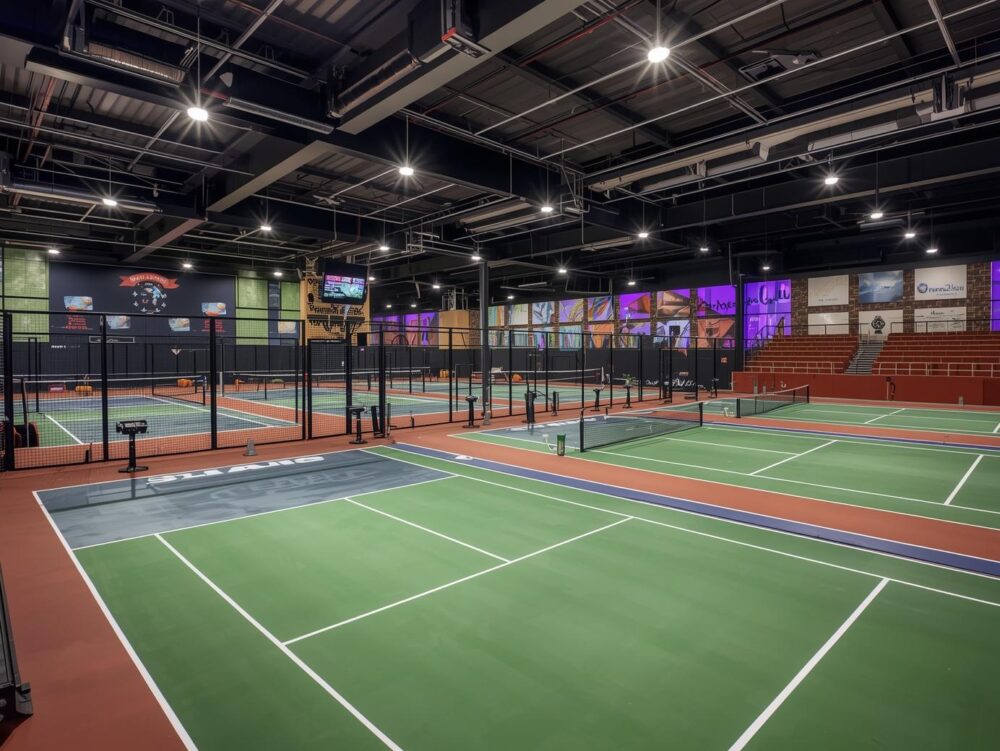
Bookings per court and per time slot, peak hours, availability, and fast online reservations via your website.

Rental software for bike and scooter rentals
Availability per type, duration, and easy checkout. Ideal for high turnover during holiday periods.

Rental software for boat rentals and water activities
Overview per boat/activity, time slots, and clear management of occupancy and planning.

Software for venue rental and meeting rooms
Booking per hour or half-day, capacity, packages, and automatic confirmations.

Reservation software for escape rooms and activities
Booking per group/time slot, combination bookings (e.g., extras), and direct payment upon reservation.

This is exactly why people switch to rental software:

Error 1: Reservations via multiple channels without a central calendar
Solution: one real-time schedule with clear rules per object/time slot.

Error 2: Paying afterwards = more no-shows and administration
Solution: online payment or deposit during the reservation process.

Error 3: No clear capacity rules
Solution: set capacity, duration, and exceptions in advance.

Error 4: Too much manual work in confirmations and changes
Solution: automatic confirmations and clear communication flows.

With Jimani, you can easily add booking widgets to your website, allowing customers to reserve and pay directly.

You don’t need to schedule a long implementation process, which usually costs a lot of time and resources, to get started. This is the practical route:

Choose your rental/activity type
Objects (courts/bikes/boats/rooms) or activities (time slots/capacity).

Set availability and rules
Opening hours, time slots, minimum duration, capacity, and exceptions.

Choose your payment flow
Direct payment, deposit, or payment on-site (whatever suits you).

Place the widget on your website
Reservations flow directly into your schedule.

Test for 1 day and go live
Optionally with fine-tuning for peak moments and exceptions.

Getting started with Jimani is easy. No technical knowledge required. No long explanations. No hassle.
Your E-commerce platform will be online and ready to use within half an hour.

Extras & Extensions

Optioneel uit te breiden met:

  • Extra POS license: €20 per month
  • Extra module: €20 per month
  • Multi-location / Head office dashboards: €30 per month per location

Complete activity reservation system including POS license for €69 per month.

With the activity subscription, you have a complete reservation and POS system for bookings, payments, and administration in one central environment.

You receive 1 POS license and the webshop is included.
No hidden costs, fully transparent.

  • Jimani is completely free to start, giving you the time to set everything up correctly. The subscription only begins when you wish to receive online reservations.

*After 1 year €89.00 per month.
*All prices are exclusive of VAT.

Array ( [0] => Array ( [titel] => Activity Management & Content [onderwerp] => Array ( [0] => 251 ) ) [1] => Array ( [titel] => Booking process & Communication [onderwerp] => Array ( [0] => 250 ) ) [2] => Array ( [titel] => Pricing & Payments [onderwerp] => Array ( [0] => 252 ) ) )
Is it possible to set a minimum age or other restrictions for participation?

Yes. You can set a minimum age, after which the system automatically applies these age restrictions when booking, so that only suitable participants register.

Is it possible to offer multiple variations (versions) of one activity?

Yes. You can create various versions of the same basic activity, such as distinguishing between ‘Beginner’ and ‘Advanced’ groups, or a ‘Short’ versus ‘Long’ version. This allows you to serve a wider audience.

Can I add photos and videos to my activity page to showcase the experience?

Certainly! It is highly recommended to add photos and videos to the activity page. This gives customers a better, visual representation of the unique experience you offer, which significantly increases conversion rates. Check out our examples

How can I link the necessary materials (e.g., rental equipment) to an activity?

You can link extra products or supplies to the activity (e.g., life jackets, helmets, lunch packages). This increases sales by an average of +20%, and the system automatically tracks inventory and supplies for error-free logistics.

A good tip is to offer extra products at a discount. This discount is only valid when booking the activity, and customers are more likely to book it. Read more about it here.

Can I manage multiple related activities simultaneously in one overview?

Yes. All the different activities, workshops, lessons, or rental items are clearly arranged in one central dashboard. This provides a complete overview of all bookings and the total capacity. Read more here.

How can I display time slots when booking an activity?

You can configure each activity with fixed time slots, if desired. This is ideal for swimming pools in holiday parks, for example. This allows you to easily set up activities with predetermined time slots, such as swimming from 10:00 AM to 1:00 PM and from 1:30 PM to 4:30 PM.

Is it possible to temporarily pause, hide, or reactivate an activity?

Yes. You can ‘turn off’ or hide any activity from the public with one click. This is ideal for seasonal activities, unforeseen circumstances, or if you want to reactivate the activity later without re-entering everything.

Can I have activity availability automatically recur on fixed days and with a fixed frequency?

Certainly! You can easily set activities to be recurring, both with a fixed frequency (daily, weekly, or monthly) and on specific, fixed days (e.g., every Tuesday and Friday). This saves you a lot of manual work when setting up a fixed schedule.

How do I set time slots, group size, and maximum capacity for my activities?

Yes, you are in complete control of the capacity. You determine the specific times, the minimum and maximum group size, and the overall capacity per time slot. This is crucial for efficient resource management and ensuring an optimal experience for your participants.

Can I sell activity tickets digitally and physically at the counter with Jimani?

Yes, the system can be used as a point of sale (POS) system for physical sales. You can connect it to payment terminals, receipt printers, and cash drawers. If you opt for digital sales, you can do so via our widgets, which you can easily place on your website. Read more here.

Can I export a downloadable participant list (Excel)?

Certainly, you can easily and quickly export participant lists to an Excel file. This is essential for printing attendance lists and for administration.

How do customers receive confirmation of their activity?

Immediately after booking, customers receive a detailed confirmation via email. This email contains all essential information, such as the date, time, location, selected options, and any instructions. Both the ticket and the invoice are attached for easy access.

How can I include specific instructions with the booking confirmation?

You can add specific instructions to the confirmation email, such as what participants should bring, any dress codes, or parking information. This ensures that participants arrive well-prepared.

In addition, it is possible to send up to four reminder emails before arrival. You can attach files to each email, so guests always have all the necessary information. Read more in this blog.

Can I have participants sign consent forms or waivers online?

Yes. You can add online consent forms and waivers to the booking process. This streamlines administration and ensures that all legal documents are signed on time. Read more in the blog.

Can I automatically remind customers of their upcoming booking?

Certainly. You can fully customize and schedule the automatic reminders (via email) yourself (for example, a week, 48 hours, or 24 hours in advance). This automation reduces the number of no-shows and increases customer satisfaction.

Can I require a deposit or full payment when booking an activity?

Certainly. You can set fixed amounts or percentages that must be paid as a deposit or even as full payment to finalize the reservation. This reduces the risk of no-shows and ensures financial security in advance.

How do I set up separate price categories for children, adults or seniors?

You can set up multiple, differentiated price categories (for example, ‘Adults’, ‘Child’, toddler, baby or ‘Seniors’). This allows you to specifically target audiences and apply dynamic pricing. Read more about it here.

Can I set different pricing models per activity (price per time or price per person)?

Yes, Jimani offers pricing flexibility. You can work with two primary price types: a fixed price per unit of time (for example, a price per hour, per day (part), or per week), or a price per person (for example, a price per ticket for a workshop).